Bliss HQ
The 9 best practice management software tools for bookkeeping firms in 2026
An honest comparison of practice management software for bookkeeping and accounting firms: Bliss HQ, Karbon, Financial Cents, Double, TaxDome, Canopy and more, with pricing models.
Choosing practice management software is one of the biggest decisions a bookkeeping firm makes. It decides how your team plans its week, how clients send you documents, how you bill and how much admin you carry as you grow. Switching later is painful, so it pays to choose carefully.
We build one of the tools on this list, so read this with that in mind. We have tried to be fair: every tool here is good at something, and the right choice depends on the kind of firm you run.
How we compared them: what each tool is built for, the jobs it covers (pipeline, proposals, onboarding, workflow, client portal, bookkeeping review, time and billing, reporting), how it is priced, and how easy it is to try. Prices are as published on each vendor's website in October 2026 unless noted. Always check the vendor's site for current pricing.
What to look for
Before the list, here are the questions that matter most for a bookkeeping firm:
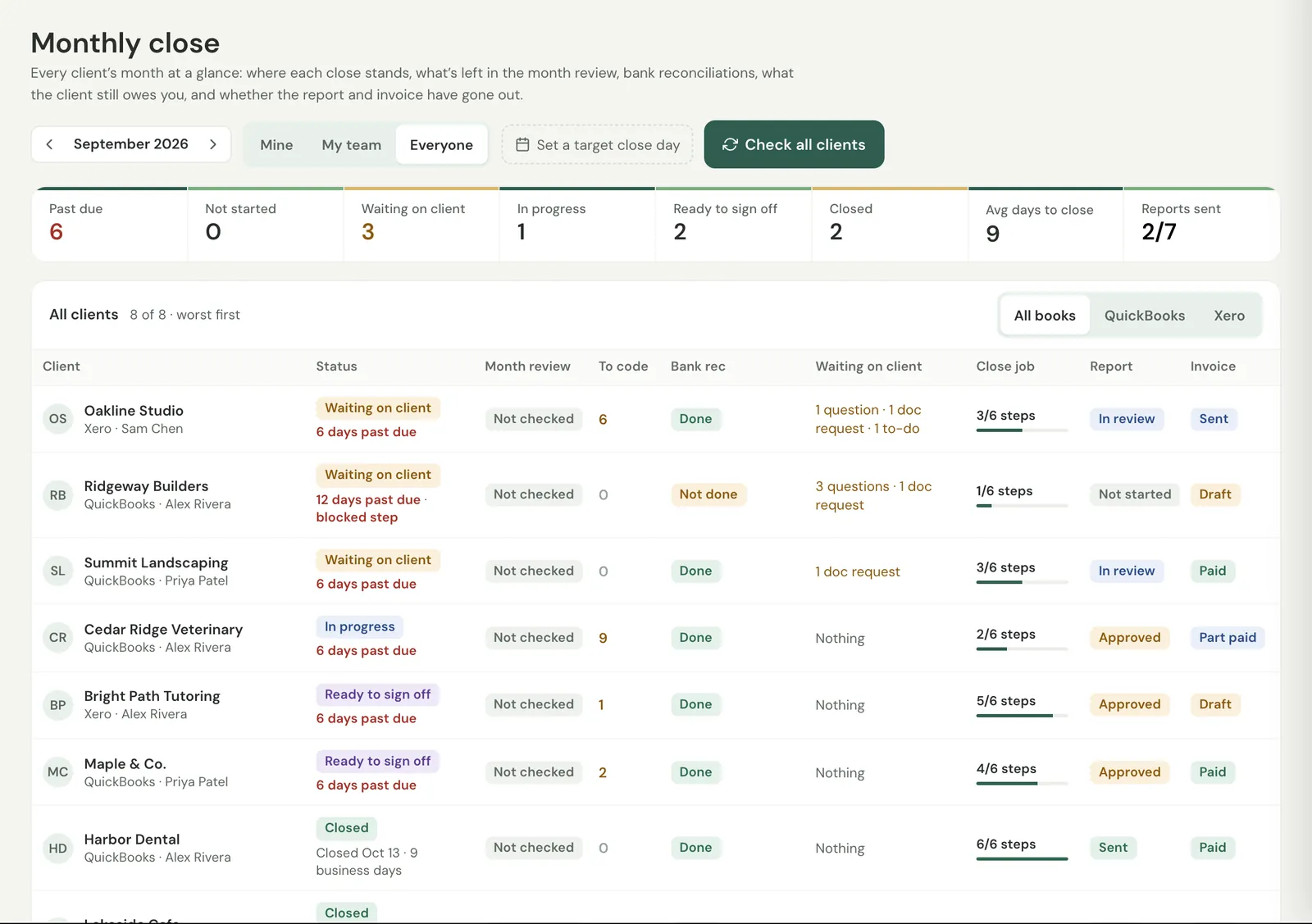
- Does it understand bookkeeping? General practice management tools handle tasks and deadlines. Bookkeeping firms also need to see what is uncoded, what the client still owes you and whether the month is closed.
- Is there one client record? Leads, proposals, onboarding, work, documents and invoices should all live on the same client, not in five tools.
- What does the client see? A branded portal with one to-do list gets documents and answers back far faster than email.
- How is it priced? Per user pricing gets expensive as you hire. Per client pricing grows with revenue instead. Watch for add-ons that cost extra per client.
- Can you try it properly? A free trial with your own clients tells you more than any demo.
Quick comparison
| Tool | Best for | Pricing model | Free trial |
|---|---|---|---|
| Bliss HQ | Bookkeeping and CAS firms on QuickBooks Online or Xero that want one system | Per active client, unlimited staff (from $9) | 30 days, no card |
| Karbon | Mid-size and larger firms that live in email | Per user (from $59 a month, billed annually) | Demo first |
| Financial Cents | Small firms wanting simple, affordable workflow | Per user (from $19), close add-on per client | 14 days, no card |
| Double | Firms focused on the month-end close | Per connected client, unlimited users (reported from $10) | After a demo |
| TaxDome | Tax-heavy firms | Per user, paid annually | Yes |
| Canopy | Firms that want an all-in-one with tax resolution | Per user (from $74), close add-on per client | Through sales |
| Client Hub | Firms that want client collaboration on QuickBooks and Xero | Per user, unlimited clients (from $49) | Guided trial |
| Jetpack Workflow | Firms that only need recurring workflow | Per user (from $40) | Yes |
| Ignition | Firms that want proposals and payments | Flat per firm (see vendor) | 14 days |
1. Bliss HQ
Best for: bookkeeping and client accounting services (CAS) firms on QuickBooks Online or Xero that want the whole client lifecycle in one place.
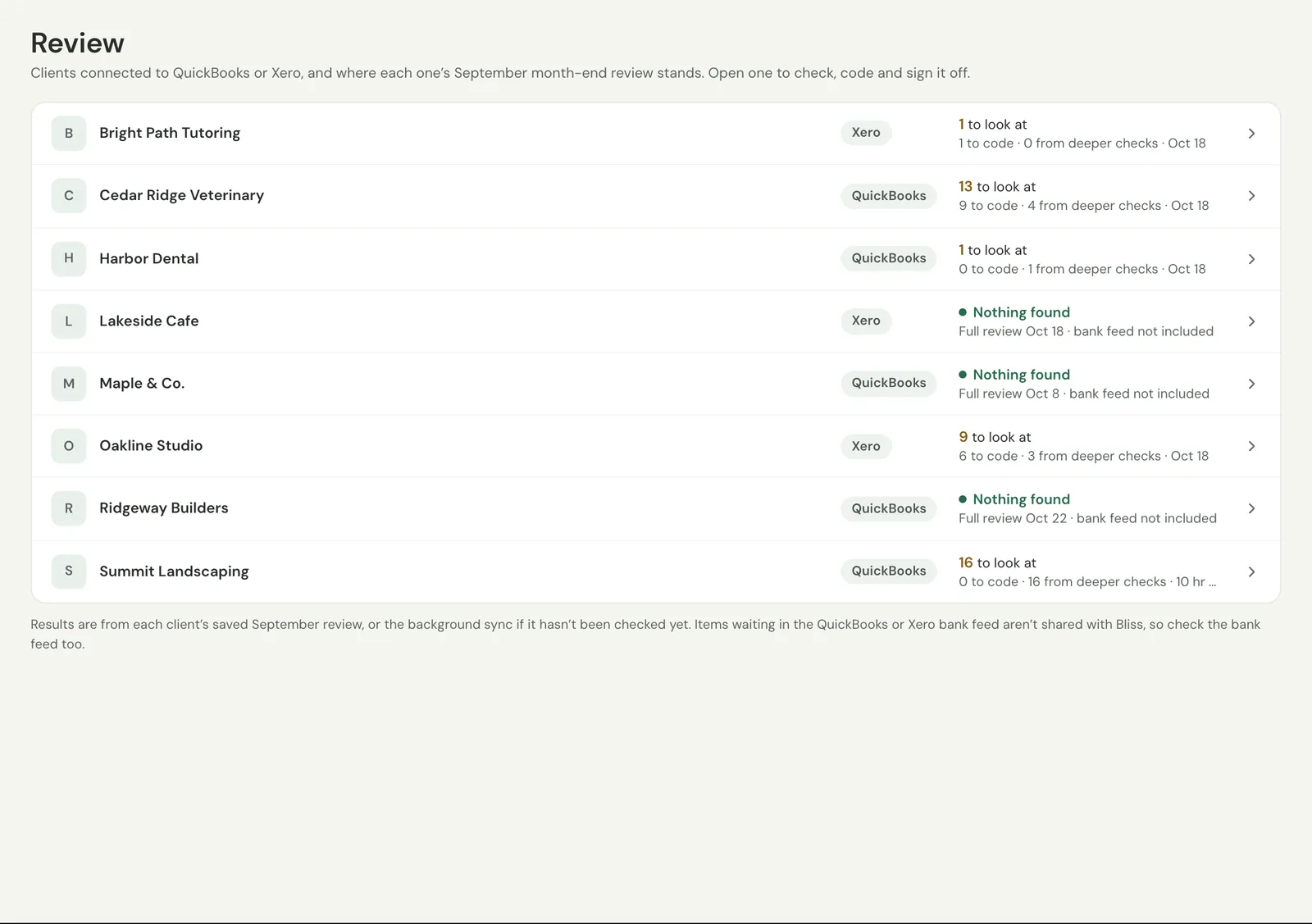
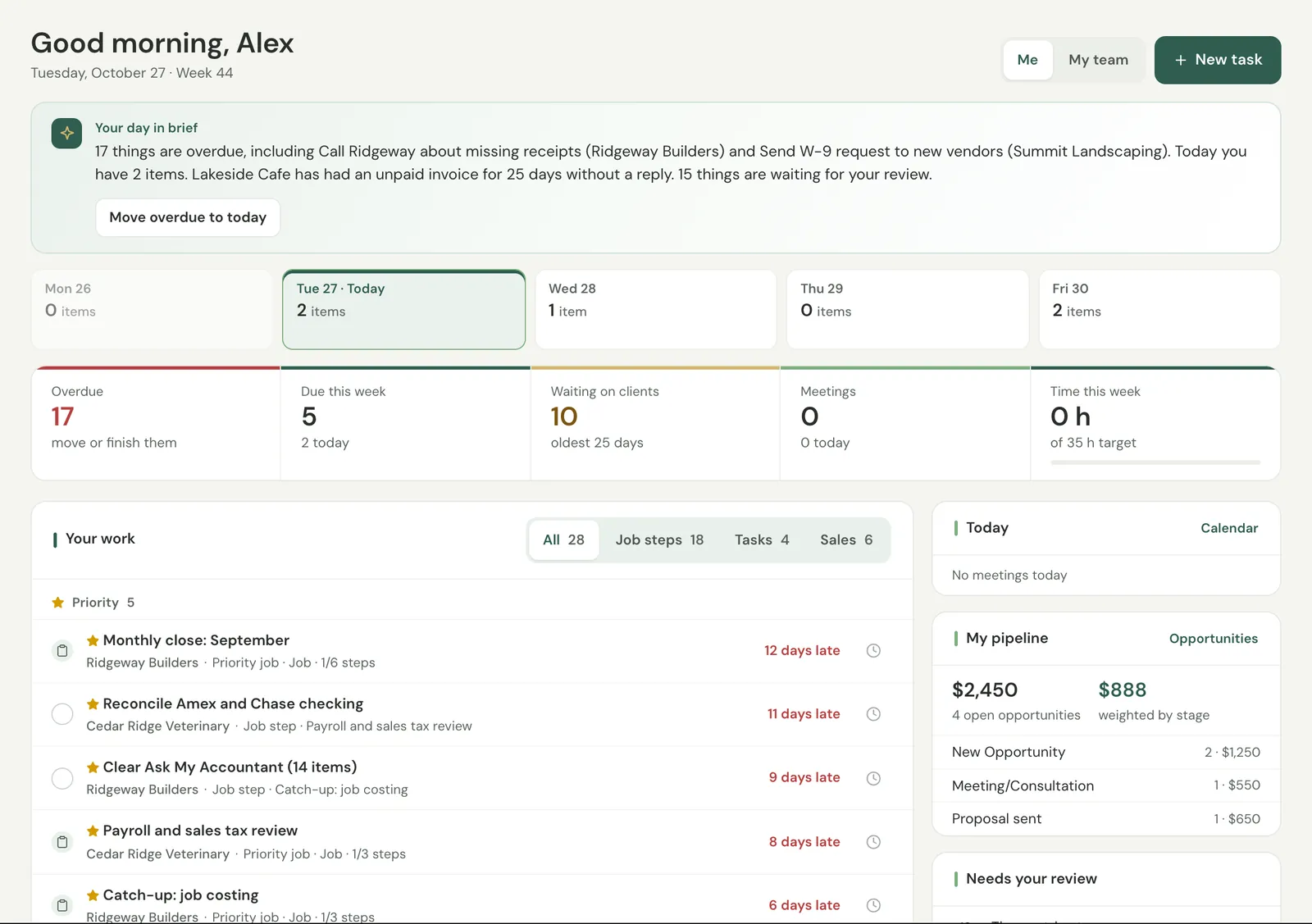
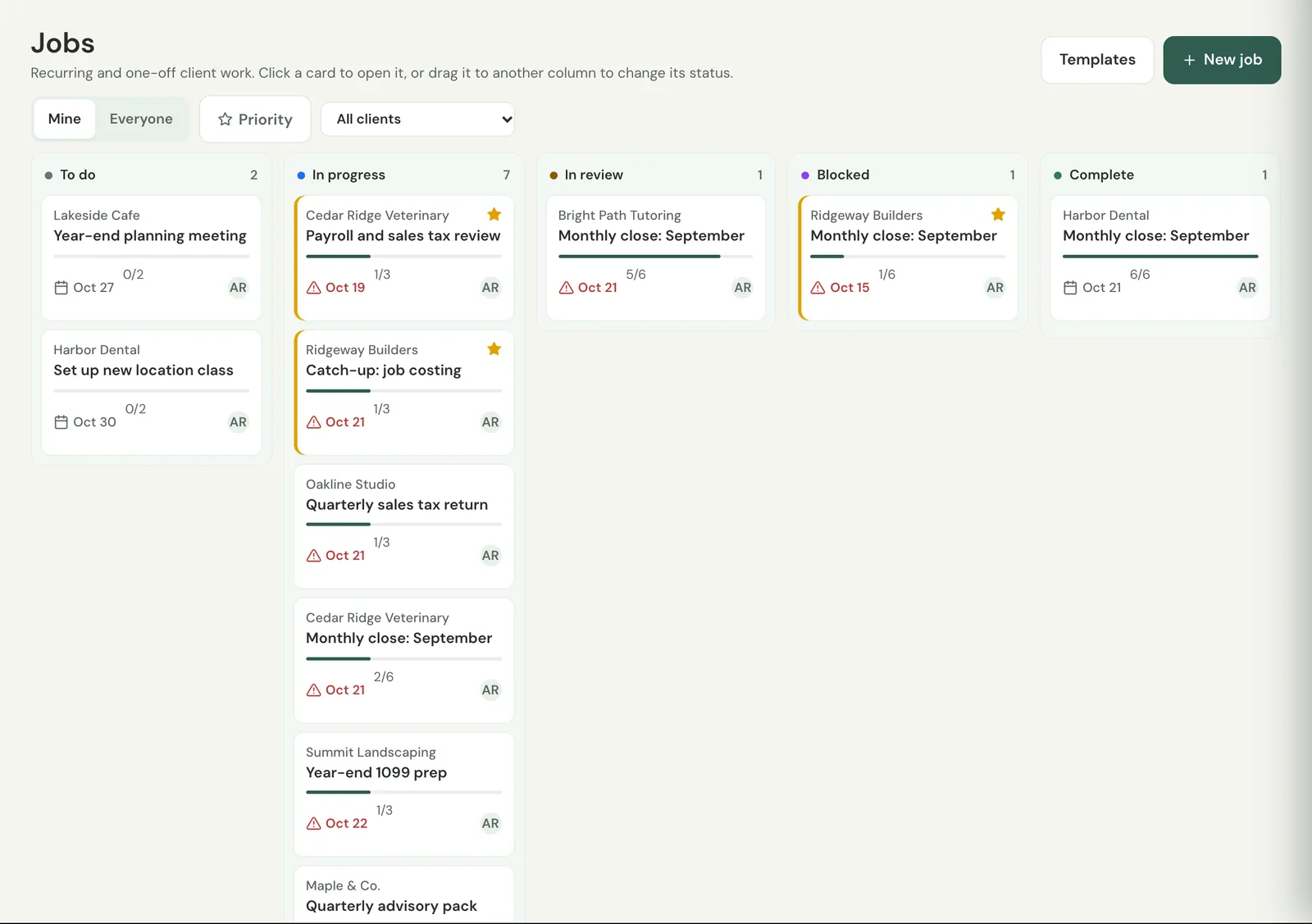
Bliss HQ runs the full journey on one client record: a CRM and pipeline, proposals with e-signature, automated onboarding, recurring jobs and My Week, a Monthly close board, QuickBooks and Xero review, a branded client portal, time and billing and management reports. It was built inside a working bookkeeping firm.
- Strengths: bookkeeping-specific features like the close board, uncoded transaction review and client coding questions; branded portal on every plan; AI that suggests but never posts without approval.
- Consider: it is designed for bookkeeping and CAS firms on QuickBooks Online and Xero, so tax-first firms may want a tax-focused tool.
- Pricing: one plan with every feature, per active client with unlimited staff. Founding Firm price for the first 50 firms is $9 per client a month, dropping to $7 after 25 clients and $5 after 100. See pricing.
2. Karbon
Best for: established firms with larger teams that run their work from email.
Karbon is one of the best-known practice management platforms. Its strength is turning email into work: shared inboxes, comments and tasks sit right alongside each client's jobs. It covers workflow, client requests, documents, e-signature, time and billing, and has an AI assistant.
- Strengths: polished workflow and email collaboration, strong reputation and a large community.
- Consider: pricing is per user, which adds up as you hire, and it does not review your clients' ledgers.
- Pricing: per user per month, from $59 (billed annually) or $79 (monthly) on Team, $89 or $99 on Business, Enterprise on request.
3. Financial Cents
Best for: small firms of 2 to 30 people that want affordable, easy workflow.
Financial Cents is known for being simple to set up and use. It offers hundreds of workflow templates, a CRM that syncs with QuickBooks Online, a passwordless client portal, time and billing, and proposals that create work when signed.
- Strengths: good value for small teams, quick self-serve start, strong reviews for ease of use.
- Consider: the month-end close feature is an add-on charged per client, and the branded portal is on the top plan.
- Pricing: per user per month on annual plans: Solo $19, Team $49, Scale $69. Close add-on $5 per client.
4. Double
Best for: bookkeeping firms whose main pain is the month-end close.
Double focuses on the close: AI-assisted transaction coding, review tools, flux analysis, a close checklist and a client portal for questions, all synced two ways with QuickBooks Online and Xero.
- Strengths: deep close and review features built specifically for bookkeepers, and pricing per client with unlimited users.
- Consider: it is not a full practice management system, so you may still need separate tools for CRM, proposals, time and billing.
- Pricing: per connected client per month with unlimited users, reported in November 2026 as $10 (Core), $25 (Plus) or $50 (Scale) per client. Trial after a demo. See our Double alternatives guide for costs at different firm sizes.
5. TaxDome
Best for: firms where tax returns are the core of the business.
TaxDome is an all-in-one platform with a large user base among tax practices. It includes a client portal, document management, e-signature, workflow, billing and tax-season tools.
- Strengths: broad feature set for tax workflows and a mature client portal.
- Consider: it is shaped around tax work, so bookkeeping-specific features like ledger review are lighter, and plans are paid annually.
- Pricing: per user per year. Check TaxDome's site for current plans.
6. Canopy
Best for: firms that want an all-in-one suite including tax resolution work.
Canopy combines practice management, a client portal, document management, time and billing, and specialist tax resolution tools, with bookkeeping close automation available as an add-on.
- Strengths: wide coverage for firms that do tax resolution alongside other services.
- Consider: per user pricing is on the higher side, and close automation is an extra per client.
- Pricing: per user per month on annual plans: $74, $109 or $149. Close Automation is $10 per connected client.
7. Client Hub
Best for: firms that want to collaborate with clients inside QuickBooks Online and Xero workflows.
Client Hub focuses on client communication: a portal where clients can answer questions and categorize transactions, plus workflow and document collection.
- Strengths: client-facing collaboration, unlimited clients on every plan.
- Consider: priced per user, so costs rise with team size.
- Pricing: per user per month, from $49 with unlimited clients.
8. Jetpack Workflow
Best for: firms that only need recurring workflow and deadline tracking.
Jetpack Workflow is a straightforward tool for recurring jobs, templates and due dates.
- Strengths: simple and focused.
- Consider: it covers workflow only, so you will need other tools for the portal, proposals, billing and review.
- Pricing: per user per month, from $40.
9. Ignition
Best for: firms that want better proposals, engagement letters and payment collection.
Ignition specializes in proposals through to payment: pricing, engagement letters, e-signature and automatic billing.
- Strengths: excellent proposal and payment workflows, and it integrates with other practice tools.
- Consider: it is a point tool, not a full practice management system, so most firms pair it with another platform.
- Pricing: flat monthly plans per firm. Check Ignition's site for current pricing.
How to choose
- You want one system for a bookkeeping or CAS firm: try Bliss HQ.
- You run a large team from email: look at Karbon.
- You are small and want simple, low-cost workflow: look at Financial Cents.
- Only the close is broken: look at Double.
- Tax is most of your work: look at TaxDome or Canopy.
- You only need better proposals: add Ignition to what you already use.
Whatever you shortlist, run a real month on a trial with three or four of your own clients. You will learn more in two weeks than from any demo.
Frequently asked questions
What is practice management software for bookkeepers?
It is software that runs the business side of a bookkeeping firm: winning clients, onboarding them, planning recurring work, collecting documents, tracking time, billing and reporting. The best tools for bookkeepers also connect to QuickBooks Online and Xero so you can see each client's books alongside the work.
Is per user or per client pricing better?
Per user pricing suits firms with few staff and many clients. Per client pricing suits firms that want to hire freely, because the cost follows revenue rather than headcount. Check for add-ons charged per client either way.
Can I switch practice management software mid-year?
Yes, but plan it. Move clients in batches, start with new clients and the next month-end, and run the old system read-only until the first close in the new one is done.
Product names and trademarks belong to their owners. Information is based on each vendor's public website in October 2026 and may change; please check current details with each vendor. Spotted something out of date? Email info@getblisshq.com and we will fix it.