 Bliss HQ
Management reports
Month-end reports, reviewed and sent in a batch.
Design a branded report package once, then run it every month for every client: review, approve, send and file a copy, with AI drafting the commentary.
For QuickBooks Online and Xero clients.
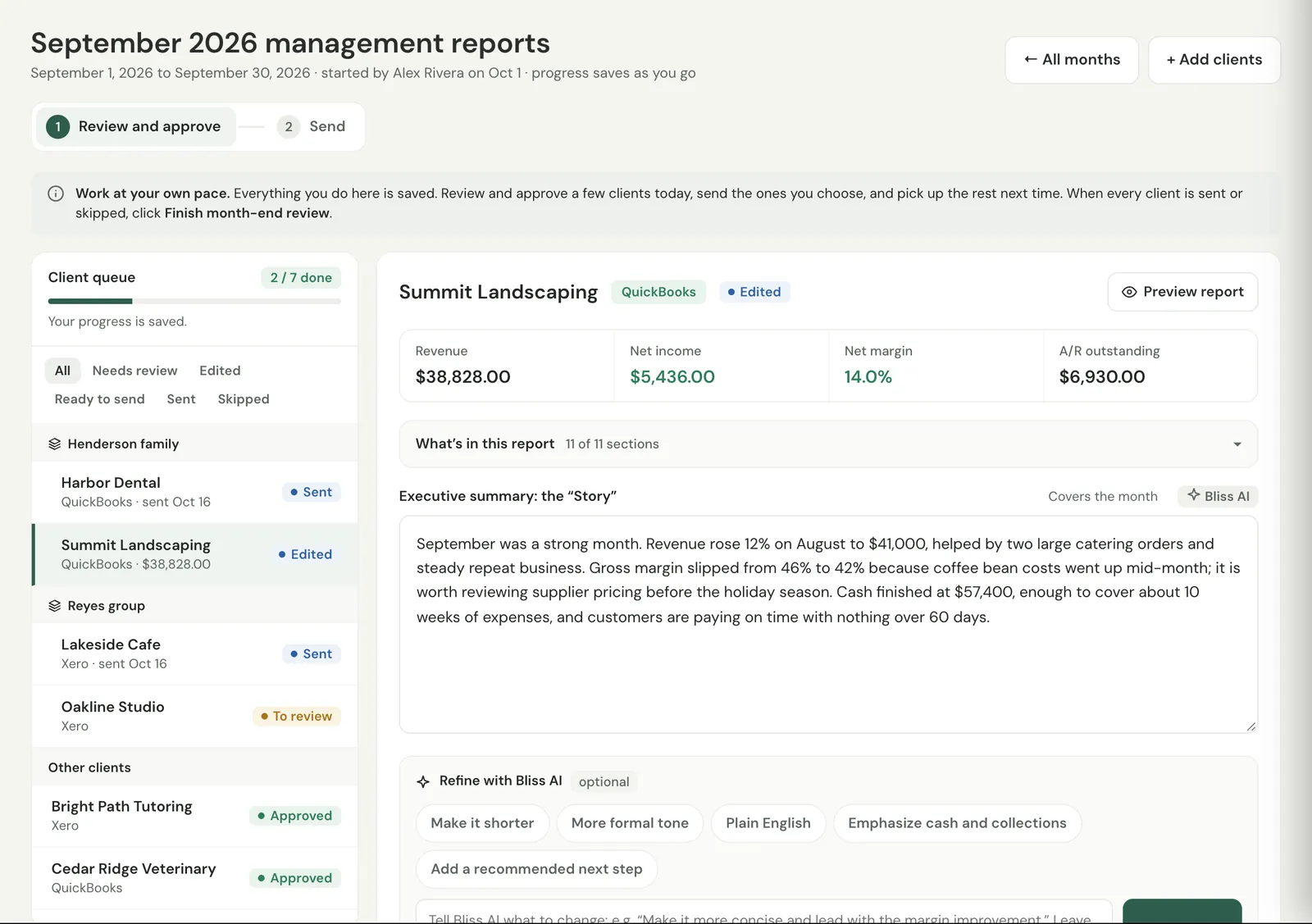
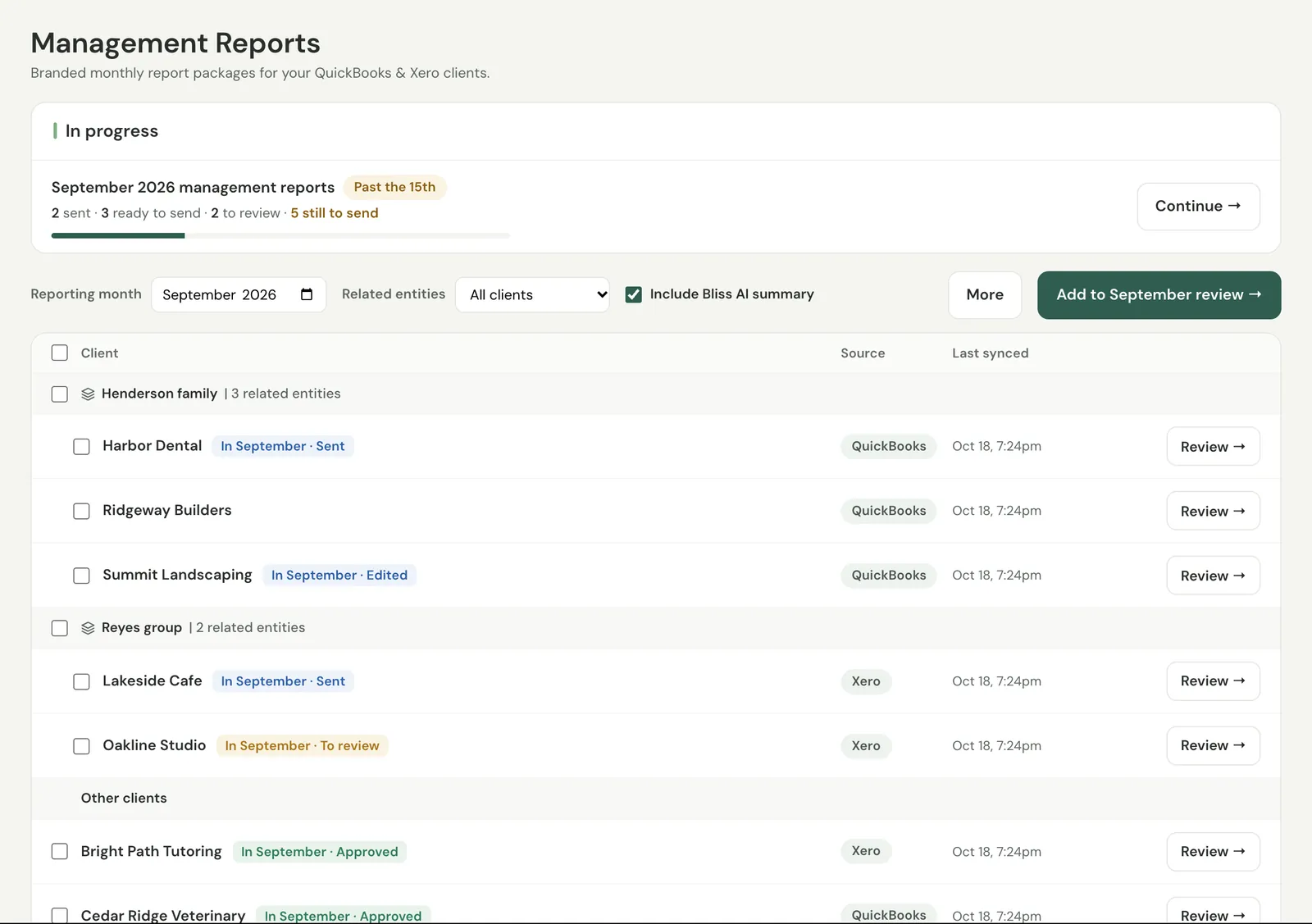
Review each client's report, with the AI-drafted summary and key figures
What you get
Reports clients actually read.
Branded PDF
Your logo and colors on a clean, readable report.
Saved monthly runs
Review, approve, send and finish, client by client.
Choose the sections
Summary, KPIs, P&L, balance sheet, cash flows, aging and more, per client.
AI commentary
A first draft of the story behind the numbers, for you to edit.
Related entities
Group sister companies into one email.
Reminders
A nudge on the 15th for any report not yet sent.
Client report library
Balance sheet, P&L trend, cash flow statement, AR and AP aging, top customers and vendors, and more.
1099 and sales tax
1099 vendor totals and sales tax summaries straight from QuickBooks Online or Xero.
Budgets and consolidation
Budget against actual, and related entities combined into one view.
Preview or skip
See each client's PDF before it goes, or skip a client with a reason.
A closer look
How management reports works in Bliss HQ.
The month-end run
One saved run per month, client by client.
Start a month and Bliss HQ adds your connected QuickBooks Online and Xero clients to a saved run. Each report moves from review to approved to sent, or skipped, and the month stays open until every client is done.
- New clients start with last month's sections, recipients and delivery choices
- Adding a late client reopens a finished month automatically
- From the 15th, owners and admins are reminded about unsent reports
- Reminders repeat every 5 days until the month is finished
- Only approved reports go out, and a double-click never emails twice
Inside the package
Eleven monthly sections, plus optional quarterly pages.
Every PDF opens with a cover page in your logo and colors, followed by a plain-language note on how the figures were compiled. Choose the sections for each client, then add quarter-over-quarter pages when a client wants the bigger picture.
- Executive summary, KPIs and a revenue vs. expenses chart
- P&L summary against last month, plus a detailed P&L
- Balance sheet, statement of cash flows and cash position
- A/R and A/P aging, plus the client's top open invoices
- Quarterly KPIs, P&L, balance sheet and cash flows against the prior quarter
AI summary, your voice
A first-draft summary you can steer and rewrite.
Bliss AI writes 4 to 6 short bullets. Each one says what happened, gives the exact figure with its comparison, and suggests an action, using only the numbers in the report. Not quite right? Type a note like "lead with the margin improvement" and it redrafts.
- Calls out shrinking cash, rising payables, 90+ day receivables and thin margins
- Likely causes are phrased as questions, never stated as fact
- Drafts are saved, so reopening a report never rewrites it
- A warning shows if the figures changed after the draft was written
- Covers the month, the quarter or both, matching the sections chosen
Report library
Sixteen client reports and eleven for your firm.
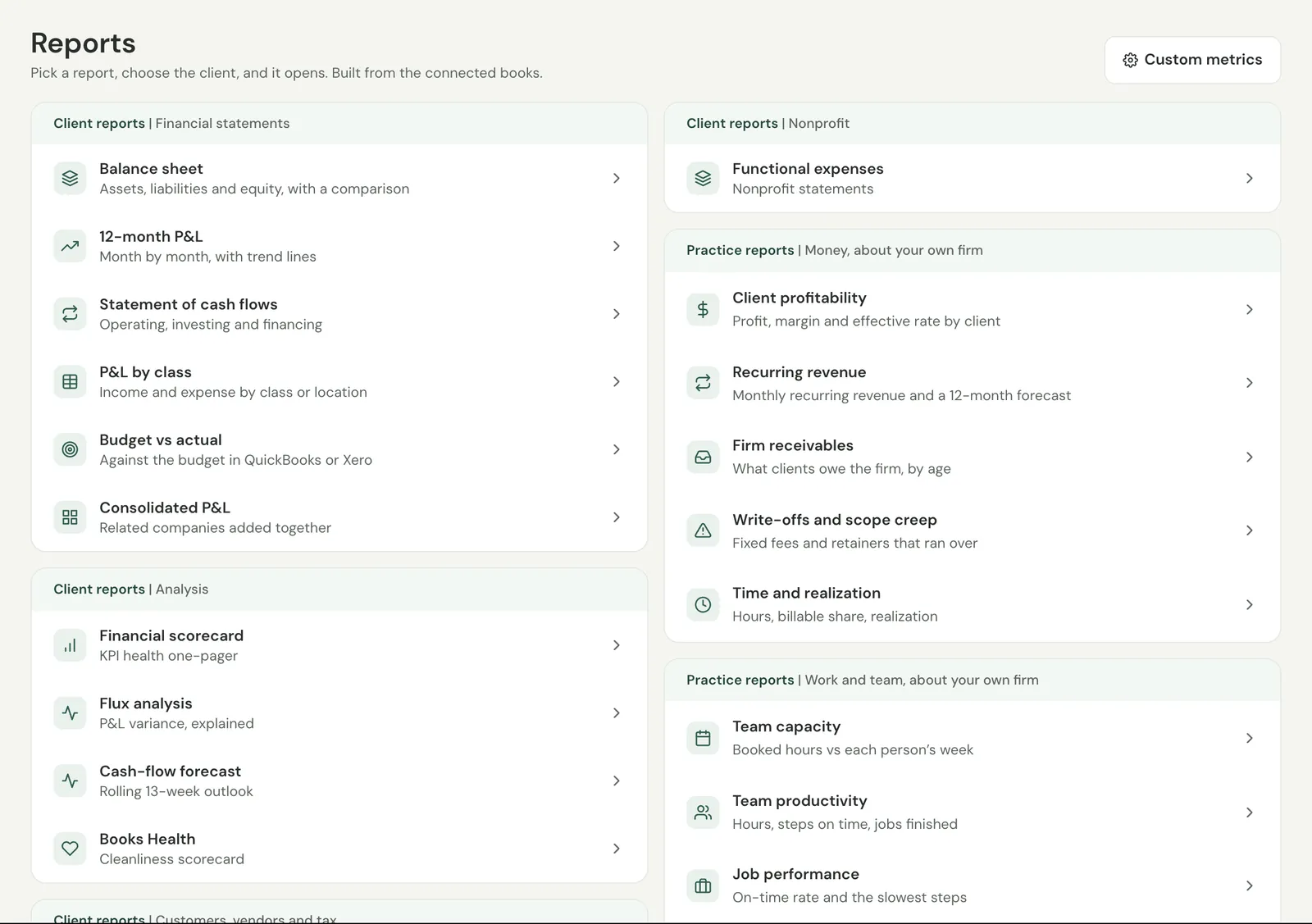
Pick a report, choose the client and it opens straight from their connected books. Practice reports cover the firm itself, from client profitability and recurring revenue to team capacity, close performance and client responsiveness.
- Balance sheet compared with the same date last year or last month
- 12-month P&L, P&L by class, and budget vs actual from their books
- 1099 list flags vendors over the threshold missing a tax ID or address
- Consolidated P&L adds QuickBooks and Xero sister companies together
- Statements, aging, tax and practice reports print, save as PDF or download as a CSV
How it works
Three steps, then it runs.
Build the package
Pick sections and branding once.
Run the month
Bliss HQ prepares every client's report.
Approve and send
Review, edit and send in a batch. A copy is saved to their documents.
Part of one system
Connected to the rest of your firm.
Report status shows on the Monthly close board, and every sent report is filed on the client's Documents tab.
Questions about management reports
What can go in a report?
Up to eleven monthly sections: executive summary, KPIs, revenue vs. expenses, P&L summary and detail, balance sheet, cash flows, cash position, A/R and A/P aging, and top open invoices. You choose per client.
Can I edit the AI commentary?
Yes. It is a draft, and nothing is sent until you approve it.
Can I send quarterly reports too?
Yes. Add the quarterly pages to a month's report to compare KPIs, P&L, balance sheet and cash flows with the prior quarter. Xero clients get the quarterly KPIs, chart and P&L summary.
Do Xero clients get the same package?
Almost. The detailed P&L, statement of cash flows and the quarterly balance sheet, detailed P&L and cash flow pages need QuickBooks Online statements, so Xero clients get every other section.
How do reports reach the client?
By email with the PDF attached, in their client portal, as a download, or a mix of these. Every sent report is also filed on the client's Documents tab for your team.
Can someone prepare reports without sending them?
Yes. Preparing month-end reports and sending reports to clients are separate permissions, so a staff member can draft and a manager can send. Reports go only to the client's own contacts unless someone has permission to send to any address.
Can I download every client's report at once?
Yes. Select the clients and download a ZIP with one PDF for each.
Does the 1099 report use the right threshold?
It uses $600 for 2025 and earlier and $2,000 from 2026. It lists vendors to file, vendors to check and any missing details, with a reminder to confirm with your tax professional.
Try management reports on your own clients.
30 days free, no card. Every feature included, with unlimited staff.