 Bliss HQ
Monthly close
Every client's month-end on one board.
See where every client's close stands: what is left in the month review, which bank accounts are reconciled, what the client still owes you and whether the report and invoice are out. Then sign the month off, lock the books and hear about it if anything changes later.
For QuickBooks Online and Xero clients. Close jobs are optional.
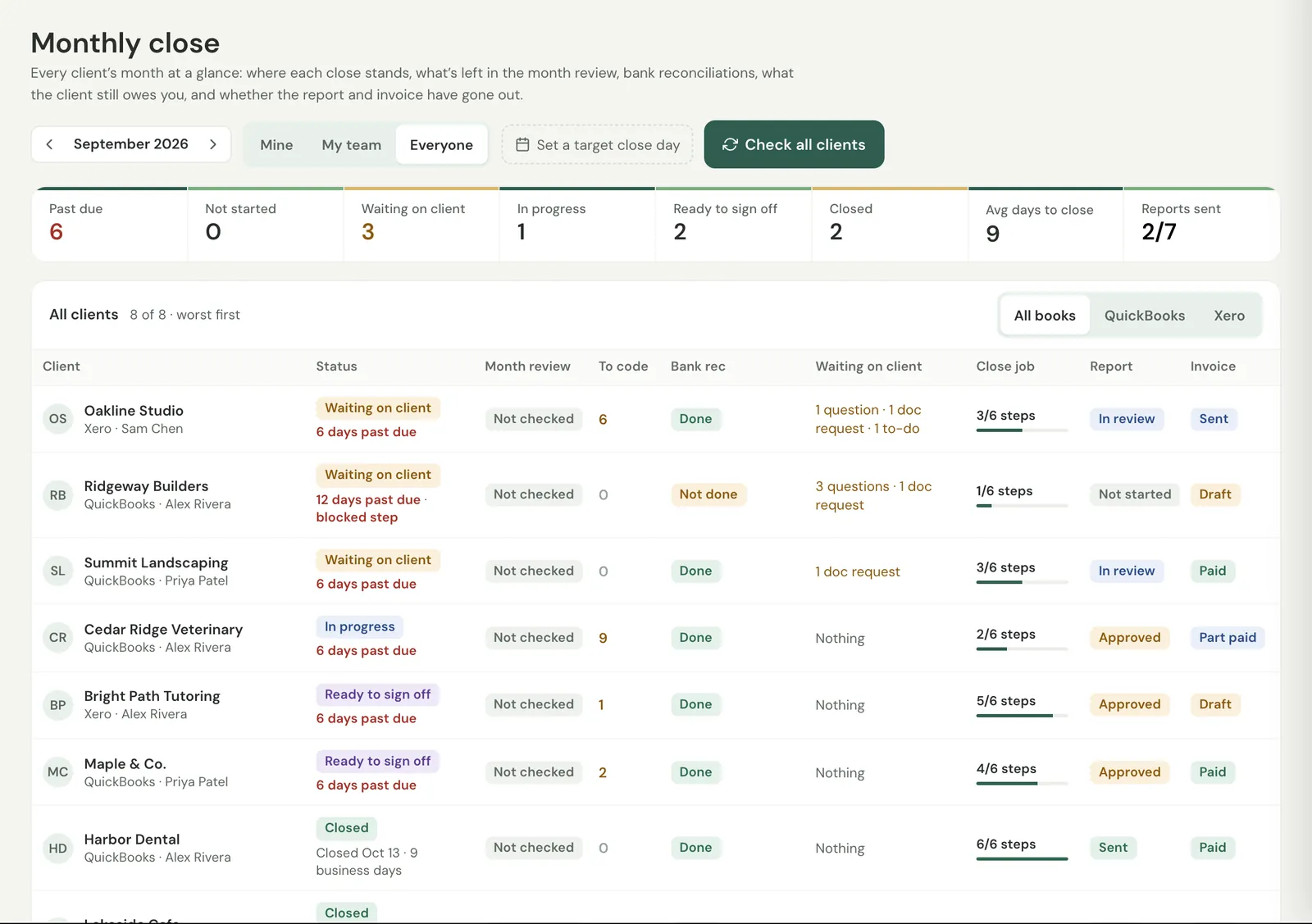
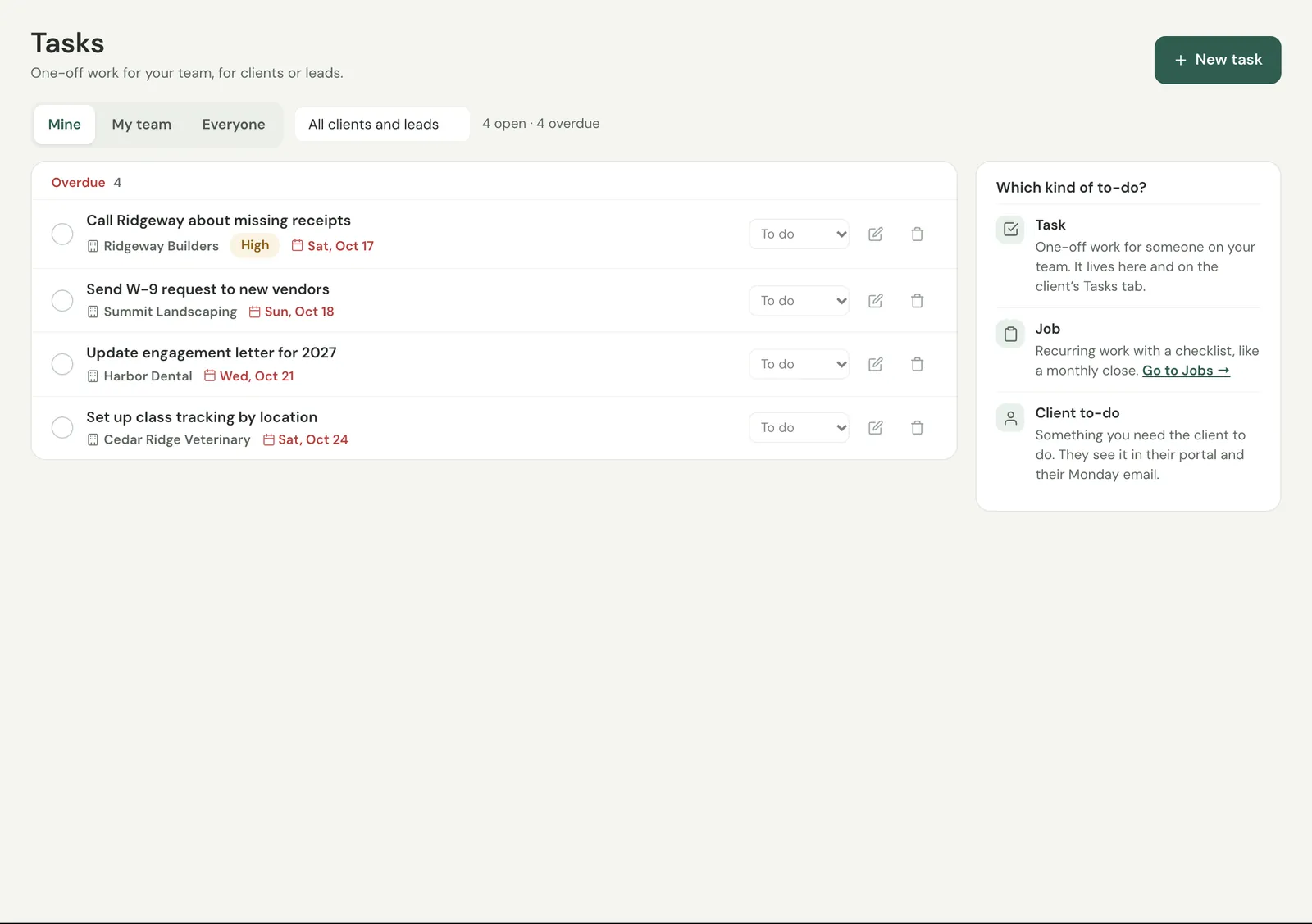
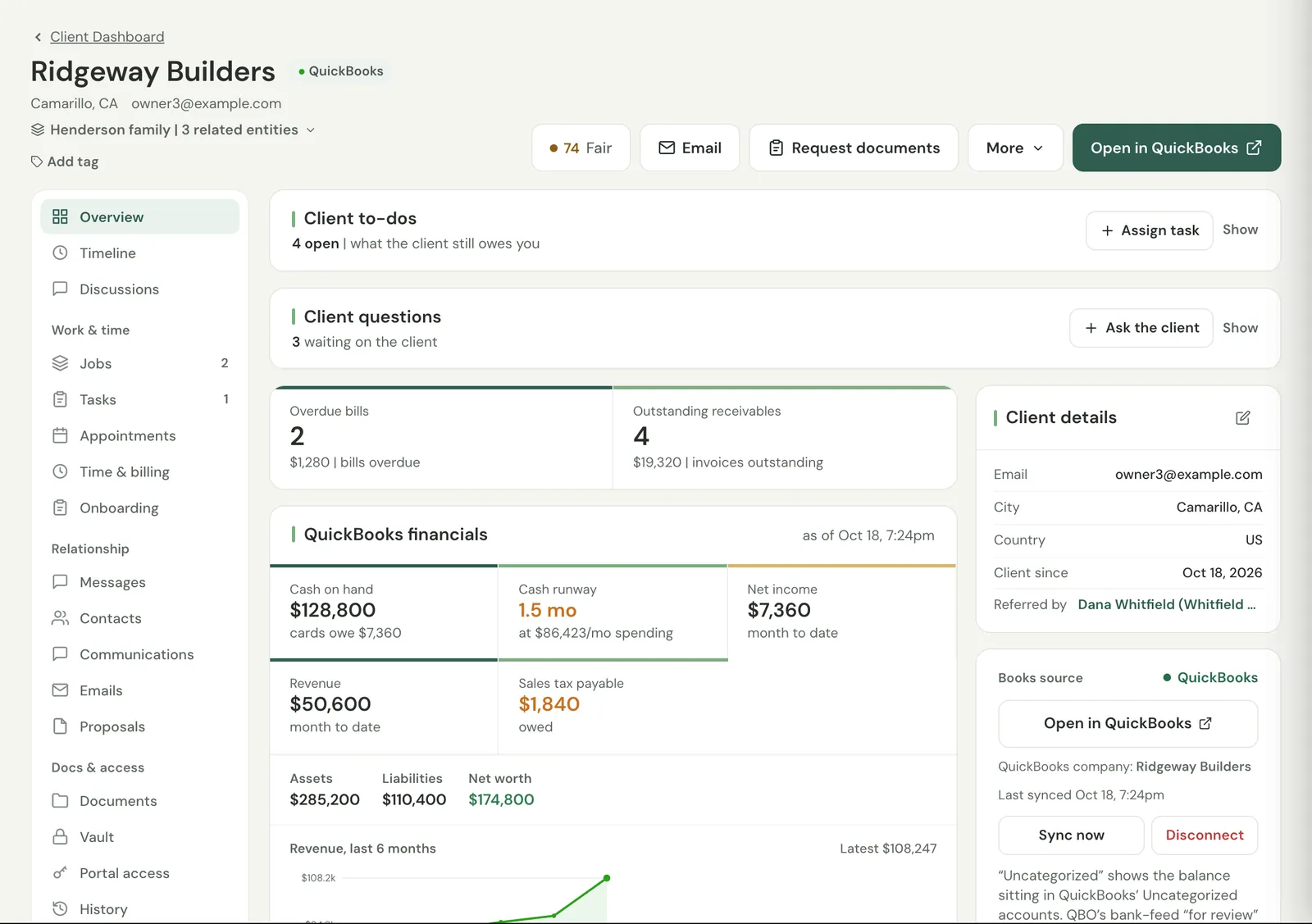
Every client's month-end on one board, with a status, due date and days to close
What you get
Stop asking the team where everyone is up to.
Clear statuses
Not started, In progress, Waiting on client, Ready to sign off and Closed, with past due flagged.
Target close day
Set how many business days after month end a close is due, and track days to close.
Check all clients
Run every client's month review from one button, two at a time.
Bank reconciliation
Each bank and card account's reconciled-through date, read from the books.
Waiting on client
Open questions, document requests and client to-dos, with Remind all waiting.
Report and invoice status
See which month-end reports and invoices are out.
Two-step sign-off
Optional: a reviewer approves the month or sends it back to the preparer.
Lock the books
Set the QuickBooks closing date, or a guided Xero lock date, once a month is closed.
Changed after close
A nightly check flags anything added or changed in a closed month.
A closer look
How monthly close works in Bliss HQ.
Statuses
Every client gets a status you can act on.
Each client is Not started, In progress, Waiting on client, Ready to sign off or Closed, and anything past its due date is flagged Past due. Click a client and a panel opens with the whole month for that client, every line linking to the work behind it.
- Waiting on client: they still owe you questions, documents or to-dos
- Ready to sign off: the month review is clean or the close job is done
- Closed: the month review is signed off
- Waiting for review: prepared and signed, when your firm uses two sign-offs
- Past due: not closed by the job's due date or your target close day
Target and tiles
A close target the whole firm can see.
Set a target close day, like 10 business days after month end, and every client gets a due date even without a close job. Tiles across the top count each status, past due clients, reports sent and your average days to close. Click a tile to filter the list.
- Days to close counted in business days after month end
- Check all clients runs every month review, two at a time
- Remind all waiting emails every client who still owes you something
- Mine, My team for managers, or Everyone, and QuickBooks or Xero only
- Opens on last month; step back through earlier months
The whole month
One row per client, the whole month.
Each row shows the status, the month review, what is left to code, the bank recs, what the client owes you, the close job, the management report and the invoice.
- Month review: not checked, items still open, or signed off
- Bank rec: each account's reconciled-through date from the month review
- No month review yet? The close job's reconciliation steps count instead
- Waiting: open questions, document requests and client to-dos added up
- Invoice amounts only show to staff with billing access
Sign off and lock
Two sign-offs, locked books, and a watch on closed months.
Turn on two-step sign-off and a reviewer approves each month or sends it back to the preparer with a note. Once a month is closed, lock the books from the panel, and a nightly check tells whoever signed off if anything in that month is added or changed later.
- Reviewers are owners or staff allowed to review jobs, never on their own work
- QuickBooks Online: Bliss HQ sets the closing date, and shows the steps if QuickBooks won't take it
- Xero: a guided link to the lock date setting, then Bliss HQ checks it is set
- Changes after close are listed in the panel with Mark reviewed
- Moving a lock date back is flagged too
Remind client
One reminder lists everything the client owes.
Remind client emails everyone at the client who can sign in to your portal, in your firm's branding, listing what is still open with a button to their to-do list. The panel then shows when they were last reminded, so nobody chases twice.
- Lists up to 8 open items and says how many are overdue
- One reminder per client every 24 hours, at most
- Counts as the weekly digest, so Monday's email won't repeat it
- Recorded in your firm's activity log with who sent it
- Turned off when nobody at the client has a portal sign-in
How it works
Three steps, then it runs.
Connect books
Link each client's QuickBooks Online or Xero.
Check
Run the month review for every client and chase what is owed.
Close
Sign each month off, lock the books and move on.
Part of one system
Connected to the rest of your firm.
Every row links to the work behind it: the month review, the document request, the close job, the report run or the invoice. Signed-off months come from Review, and close times feed the Close performance report.
Questions about monthly close
Where do the coding counts come from?
Straight from each client's QuickBooks Online or Xero file.
Do I need to set anything up?
No. Connect QuickBooks Online or Xero and the board fills in. A target close day, close jobs and two-step sign-off are all optional.
Can clients see this board?
No. It is for your firm only. Clients see their own to-do list in the portal.
Which clients show on the board?
Every active client you can see. Staff only see the clients they have access to.
When is a client Closed?
When the month review is signed off, and approved by the reviewer if your firm uses two sign-offs. If the month was never checked, a finished close job counts.
Do I need close jobs?
No. With a target close day every client gets a due date. If a client has a close job that month, its steps, owner and due date show on the row too.
Can Bliss HQ lock QuickBooks or Xero?
In QuickBooks Online it sets the closing date for you. Xero doesn't allow apps to change the lock date, so Bliss HQ opens the right Xero page and then checks the date is set.
Can I see how our closes trend over time?
Yes. The Close performance report shows business days to close against your target, by client month to month, and by who closed it.
Try monthly close on your own clients.
30 days free, no card. Every feature included, with unlimited staff.