 Bliss HQ
Bills & receipts
Bills and receipts in. Shoeboxes out.
Clients snap, upload or email their bills and receipts. Bliss AI reads them, the client approves bills when you ask, and your team pushes them to QuickBooks Online or Xero with the file attached.
Included with the client portal, the Bliss Snap app and your firm's own email address for bills.
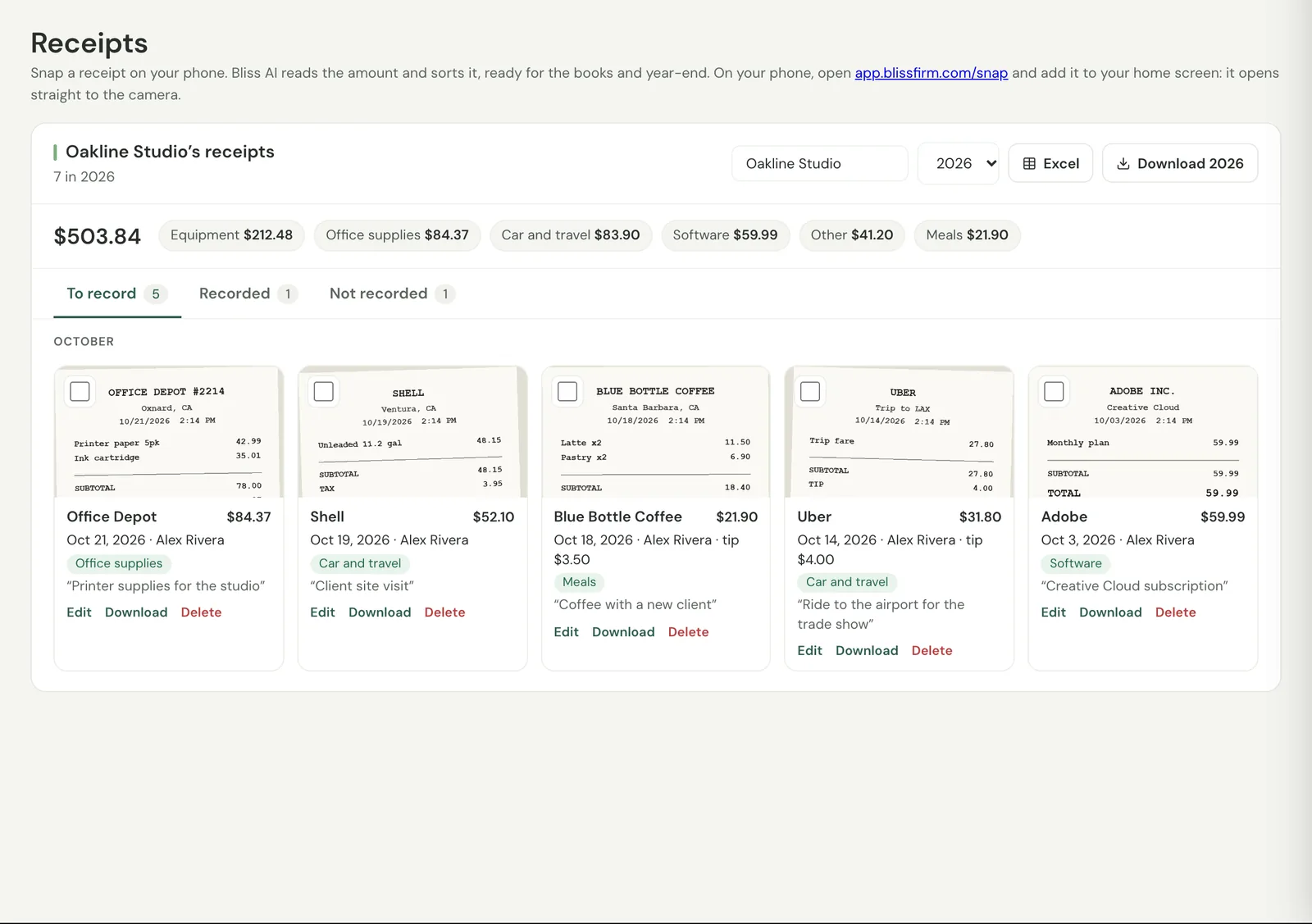
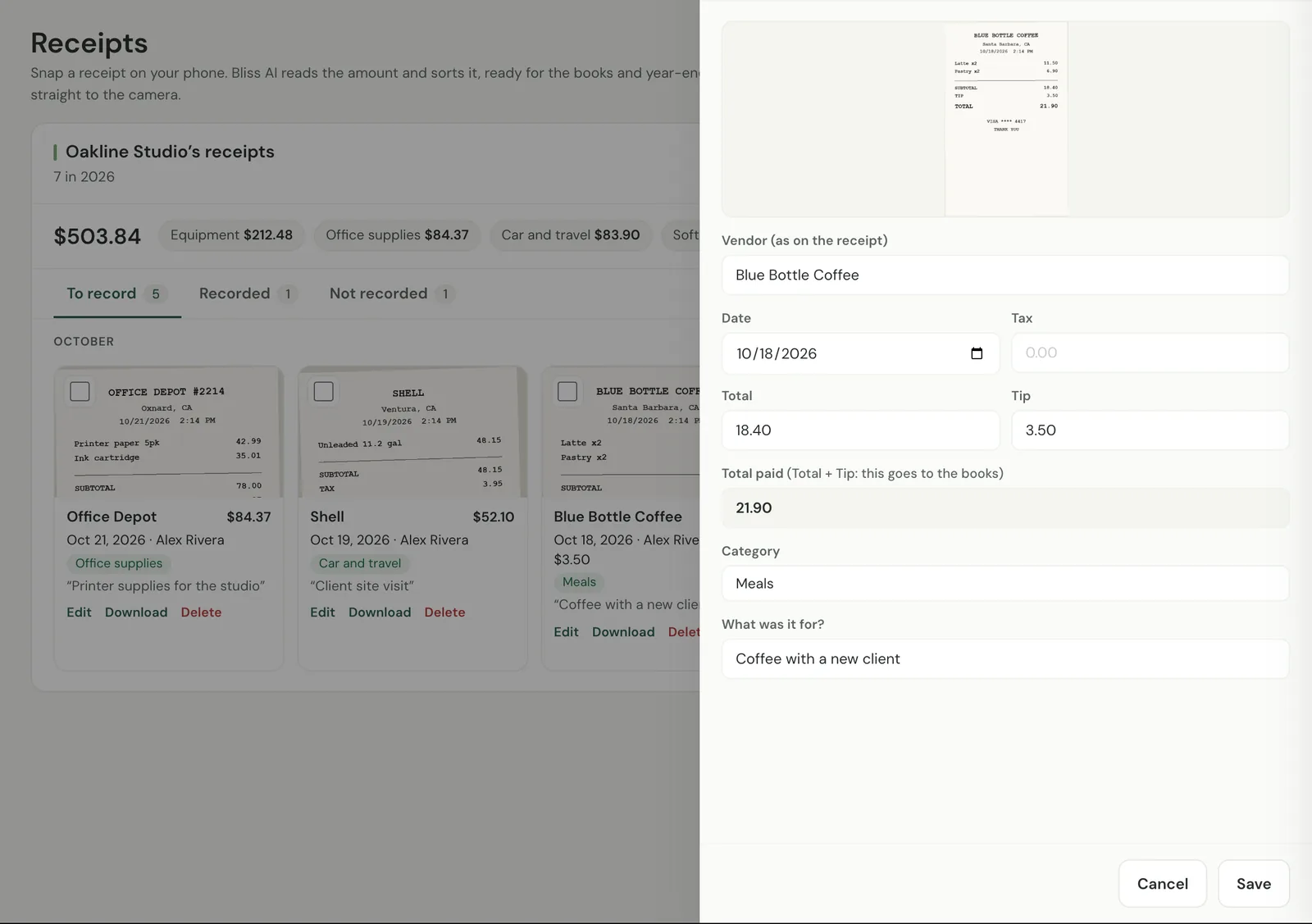
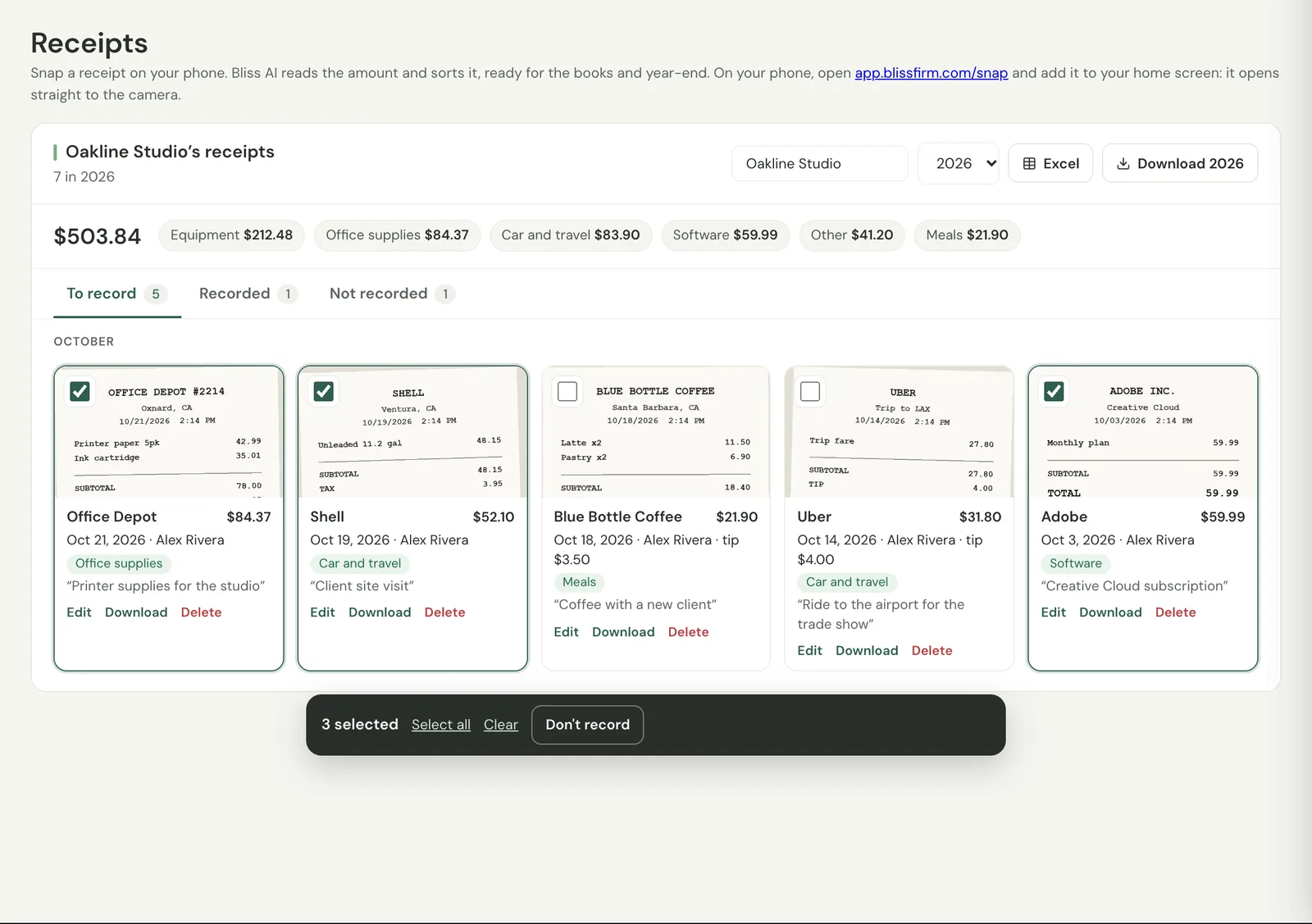
Every receipt clients sent, read by Bliss AI and ready to push
What you get
From a photo or an email to the books in a minute.
Snap, upload or email
Clients take a photo in the Bliss Snap app, upload from a computer, or forward bills and receipts to your firm's own address.
Bills, not just receipts
Bill number, due date and terms read for you, and the bill goes to the books as unpaid, ready to pay.
Client approval
Rules decide which bills need the client's OK, and who gives it. Push waits until they approve.
Read by Bliss AI
Vendor, date, total and tip filled in for you, with a note from the client about what it was for.
Check before it posts
Your team confirms the account, amount and payment method. Nothing posts on its own.
Push to the books
Send the expense to QuickBooks Online or Xero with the receipt attached.
Bulk actions
Push several receipts together, or mark the ones you will not record.
Your team is told
Owners, admins and managers hear in Bliss HQ, Slack or Bliss Chat when a client sends something.
A closer look
How bills and receipts works in Bliss HQ.
What Bliss AI reads
Vendor, date, total, tax, tip and category.
Bliss AI reads each photo or PDF and fills in the vendor, date, total before tip, tip, total paid, sales tax and currency. It also suggests one of 17 expense categories, from Meals to Software.
- If one amount is missing, it works it out from the other two
- Flags files that do not look like a receipt at all
- Ignores dates in the future or before 2000, so misread years don't stick
- You can edit the vendor, date, amounts and category before anything goes to the books
Client bill approvals
The client says yes before the bill is recorded.
Set rules for each client: which bills need approval, who approves them and when a second approver is needed. Approvers get an email and approve, ask a question or say don't pay from the client portal. Push stays locked until the bill is approved.
- Rules by amount, supplier, account, class, due date or first bill from a supplier
- Flags for possible duplicates, a changed bank account on the bill and unusual amounts
- Approval limits per person, and a second approver above an amount you set
- Every decision is kept with the bill, and you can download an approval record PDF
Bills by email
Forward it, and it lands on the right client.
Your firm gets its own email address for bills and receipts. Clients and your team forward them, and Bliss HQ files each one to the right client by the sender's address or business domain, or holds it for you to check.
- Attachments and receipts written in the email body are both read
- One PDF with several bills can be split into separate bills
- Line items, with an account and class on each line
- Bills go to QuickBooks Online or Xero as unpaid, with the due date and bill number
Snap from anywhere
Phone photos, tidied up before you see them.
Clients send up to 20 receipts at once from the portal, or 10 at a time from the Bliss Snap app, as JPEG, PNG, HEIC, WebP, GIF or PDF files up to 20 MB each. Photos are turned upright, resized and saved as JPEG so they open anywhere.
- Camera names like IMG_1234 become Receipt plus the date and time
- Each receipt is filed in Receipts & bills for that month
- Clients can add a note about what it was for
- In the Bliss Snap app, Siri can start a receipt snap
Coding that learns
Matched vendors and accounts, by exact rules only.
Bliss HQ matches the vendor Bliss AI read to one already in the client's QuickBooks Online or Xero. If there is no match, the vendor is added when you push. The expense account is filled in only by an exact rule, never a guess.
- The account last used for this vendor in these books
- In Xero, the contact's own default purchase account
- The account you chose before for this category
- An account with exactly the same name as the category
- Each push remembers the vendor, category and paid-from account
Push and year-end
Recorded in the books, with the photo attached.
Choose the bank account or credit card it was paid from, then push. QuickBooks Online gets an Expense and Xero gets a Spend Money transaction, each with the receipt file attached.
- A double click never makes two expenses in QuickBooks
- Mark receipts Not recorded, and move them back any time
- Download a year as a ZIP with monthly folders and a spreadsheet
- Excel export with three sheets: All receipts, Pushed to QBO or Xero, and Not recorded
- Totals by category for each year, ready for tax time
How it works
Three steps, then it runs.
Send
The client snaps, uploads or emails the bill or receipt.
Check
Bliss AI reads it, your team confirms the details, and the client approves bills when a rule says so.
Push
The expense or bill goes to QuickBooks Online or Xero, file attached.
Part of one system
Connected to the rest of your firm.
Bills and receipts arrive through the client portal, the Bliss Snap app and email, sit with each client's documents and reach the books with the file attached, ready for the monthly close.
Questions about bills and receipts
Do clients need the app?
No. They can upload from the client portal on any computer or phone, or email bills and receipts to your firm's address. The Bliss Snap app makes it a one-tap photo.
Does anything post to the books automatically?
No. Bliss AI fills in the details, the client approves bills where your rules ask for it, and a person on your team pushes each one.
Which books does it work with?
QuickBooks Online and Xero.
Who sees the firm's own receipts?
People who can edit firm settings (owners and admins by default) see all of them, and everyone else sees the ones they added. Firm receipts sit on a separate My firm record that never shows in client lists or billing.
What if Bliss AI cannot read a receipt?
You fill in the details by hand. That happens with unclear photos, files that are not receipts, or once your firm reaches its monthly Bliss AI limit.
Can I add a vendor that is not in the books yet?
Yes. Type the name, and the vendor is added to QuickBooks Online or Xero when you push the receipt.
Are receipts kept with the client's documents?
Yes. Each receipt is filed in the client's Documents tab under Receipts & bills, for the month it came in, so it goes wherever the rest of their files go.
Can I change what Bliss AI read?
Yes. You can edit the vendor, date, total, tax, tip and note before you push the receipt.
Try bills and receipts on your own clients.
30 days free, no card. Every feature included, with unlimited staff.