 Bliss HQ
Booking pages
Let clients book time without the back-and-forth.
Share a booking page that checks your real calendar, adds a Zoom or Google Meet link and sends branded confirmations.
Works with Google Calendar, Zoom and Google Meet.
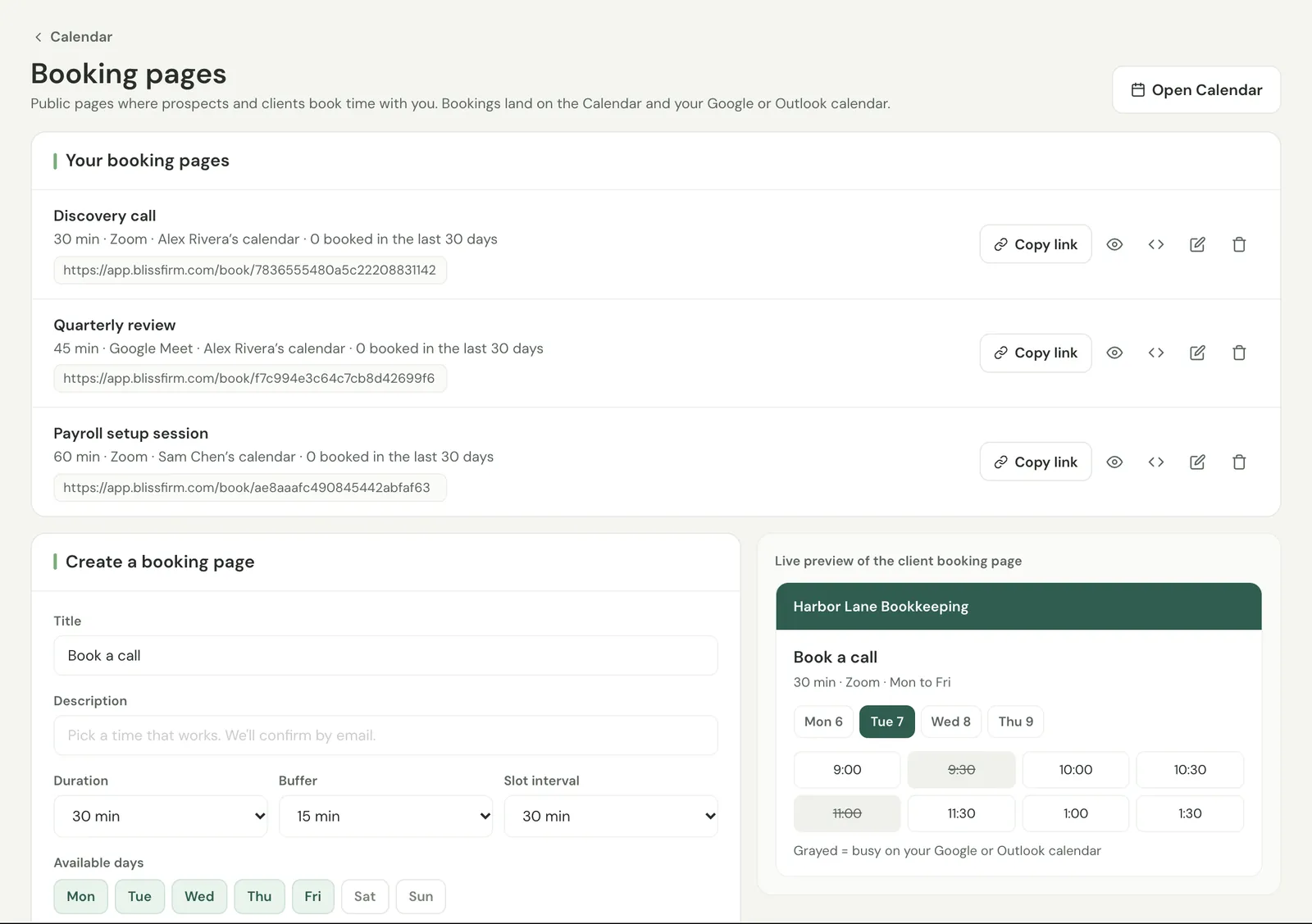
Booking pages for each meeting type, with links and embed codes
What you get
Meetings that book themselves.
Real availability
Checks the page owner's Google Calendar and hides times already taken.
Video links included
Choose Zoom or Google Meet and each booking gets its own meeting link.
On your calendar
Bookings are added to the calendar, and removed if canceled.
Branded emails
Confirmations and cancellations carry your logo and colors.
Embed anywhere
Add it to your website inline, as a pop-up or as a simple link.
Pause or edit
Change times, pause a page or delete it whenever you like.
Straight into your pipeline
Each new booker becomes an opportunity, and your stage automations run.
A closer look
How booking pages works in Bliss HQ.
Set the rules once
Your hours, your gaps, your meeting length.
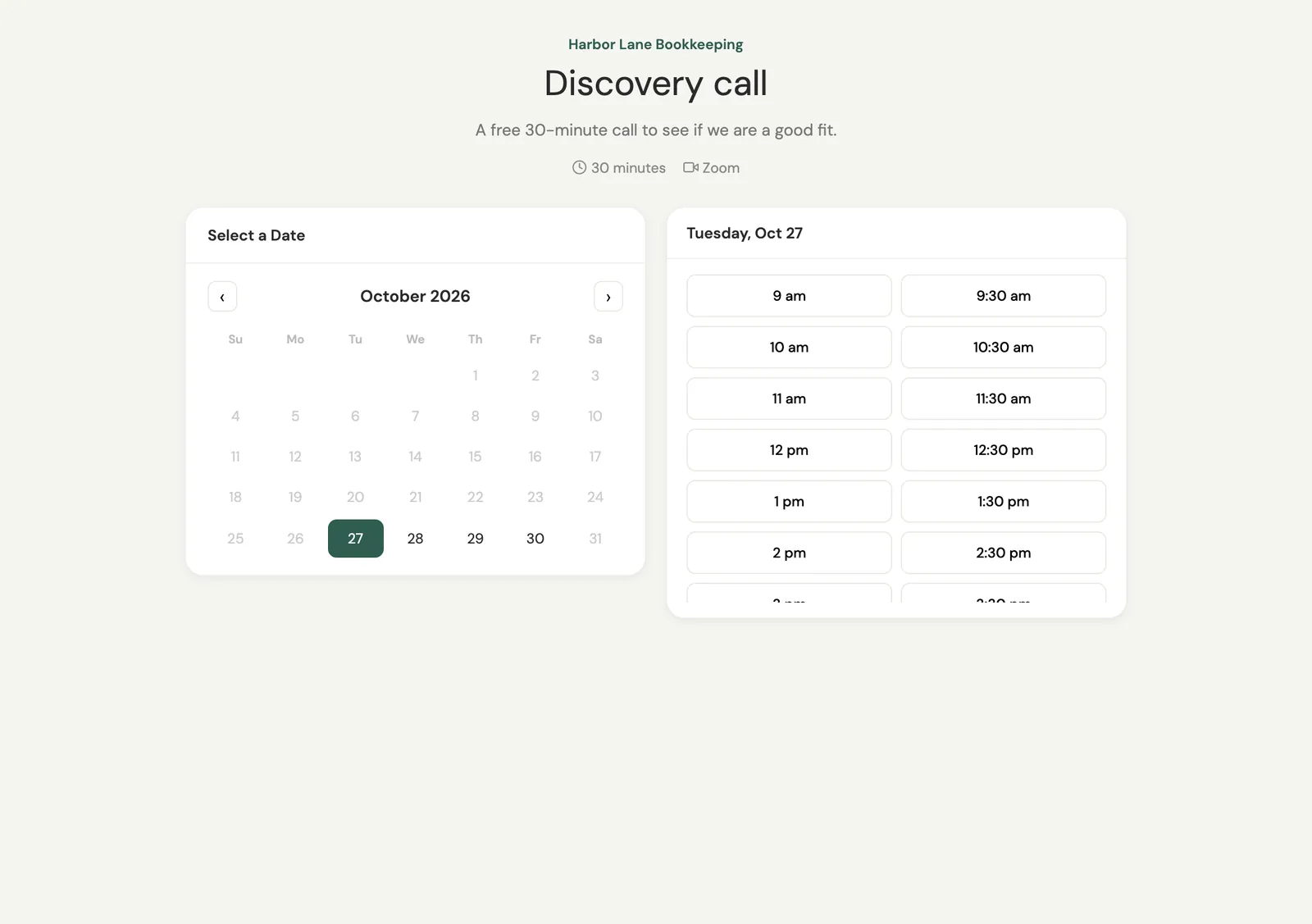
Each booking page has its own length, open days, start and end times, slot spacing and a buffer between meetings. Prospects only ever see times that fit, up to 60 days ahead.
- Meetings of 15, 30, 60 or 90 minutes
- Slots every 15, 30 or 60 minutes
- A 15 minute buffer by default so calls never run back to back
- Choose which days of the week the page is open
- Phone, in person, Zoom or Google Meet
No double bookings
Every time is checked twice before it books.
Times are hidden if they clash with another Bliss HQ meeting or the owner's Google Calendar. When someone clicks Book, Bliss HQ checks again, so a slot taken a minute ago cannot be booked twice.
- Rechecks the owner's Google Calendar at the moment of booking
- Blocks times that are past, off hours or off the slot grid
- Limits repeat bookings from the same person or computer
- The guest can add a note for you before the call
Everything set up
A booking becomes a meeting, a lead and an invite.
The moment someone books, Bliss HQ creates the Zoom meeting or Google Meet link, adds the event to the owner's calendar and emails a branded confirmation with a calendar file attached. A new person is added to your pipeline and your stage automations run.
- Confirmation email carries your logo and brand color
- Calendar invite attached so it lands in the guest's calendar
- New bookers become opportunities on your pipeline automatically
- Your team can get a Slack or Teams alert with the time and notes
Change of plans
Reschedule once and everything moves with it.
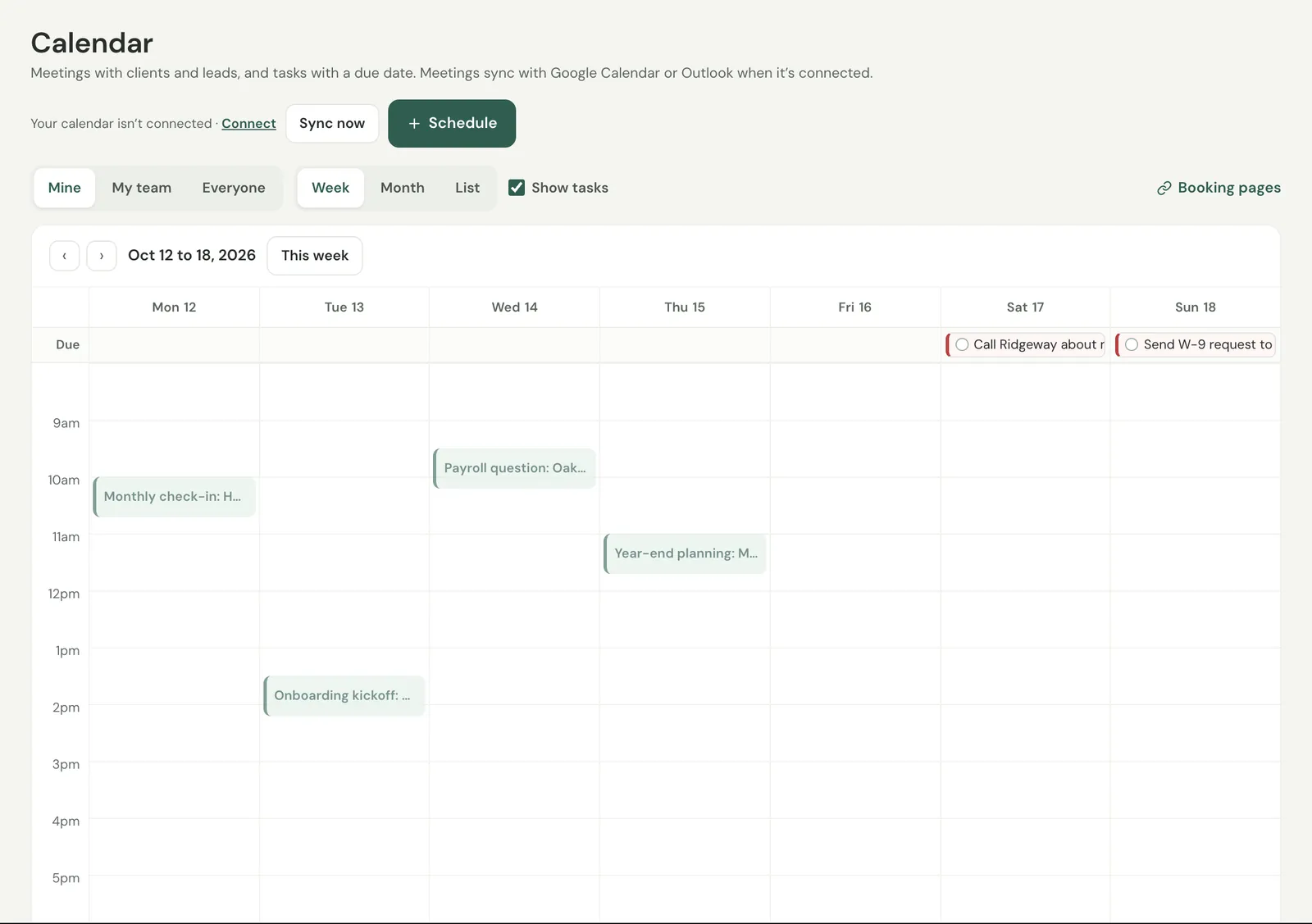
Drag a meeting to a new time on the team calendar and Bliss HQ moves the Zoom meeting and the Google Calendar event too. Cancel it and the Zoom meeting and calendar event are removed.
- Week and month views of everyone's meetings
- Meetings moved or deleted in Google are updated in Bliss HQ
- Your other Google events show as busy blocks
- Colleagues' events show only as Busy, so details stay private
How it works
Three steps, then it runs.
Create a page
Set the meeting length, days and hours. It books into your own calendar.
Share it
Put the link in your email signature or embed it on your website.
Meet
The meeting, video link and confirmations are all set up.
Part of one system
Connected to the rest of your firm.
New bookings appear in your pipeline and calendar, so a discovery call flows straight into a proposal.
Questions about booking pages
Which video tools are supported?
Zoom and Google Meet.
Can I put it on my website?
Yes. Copy the embed code and choose inline, pop-up or a link.
Can different staff have their own pages?
Yes. Each page books with its own owner.
How far ahead can people book?
Booking pages offer times up to 60 days out.
Can I stop back-to-back meetings?
Yes. Each page has a buffer, 15 minutes unless you change it, that keeps space around every booking.
What does the person booking receive?
A confirmation email with your branding, the meeting time, the video or location details, and a calendar invite file.
Will my website know when someone books?
Yes. The embed tells your page when a booking is made, so you can show your own message or track it.
What if I reschedule a meeting?
Move it on the Bliss HQ calendar and the Zoom meeting and Google Calendar event move with it, and you can send the guest an updated invite.
Try booking pages on your own clients.
30 days free, no card. Every feature included, with unlimited staff.