 Bliss HQ
Nurture emails
Follow-up that keeps going when you're busy.
Write a series of emails once. Bliss HQ sends them on schedule, in your firm's branding, and stops the moment a lead is won, lost or asks to stop.
Part of the CRM, included in every plan.
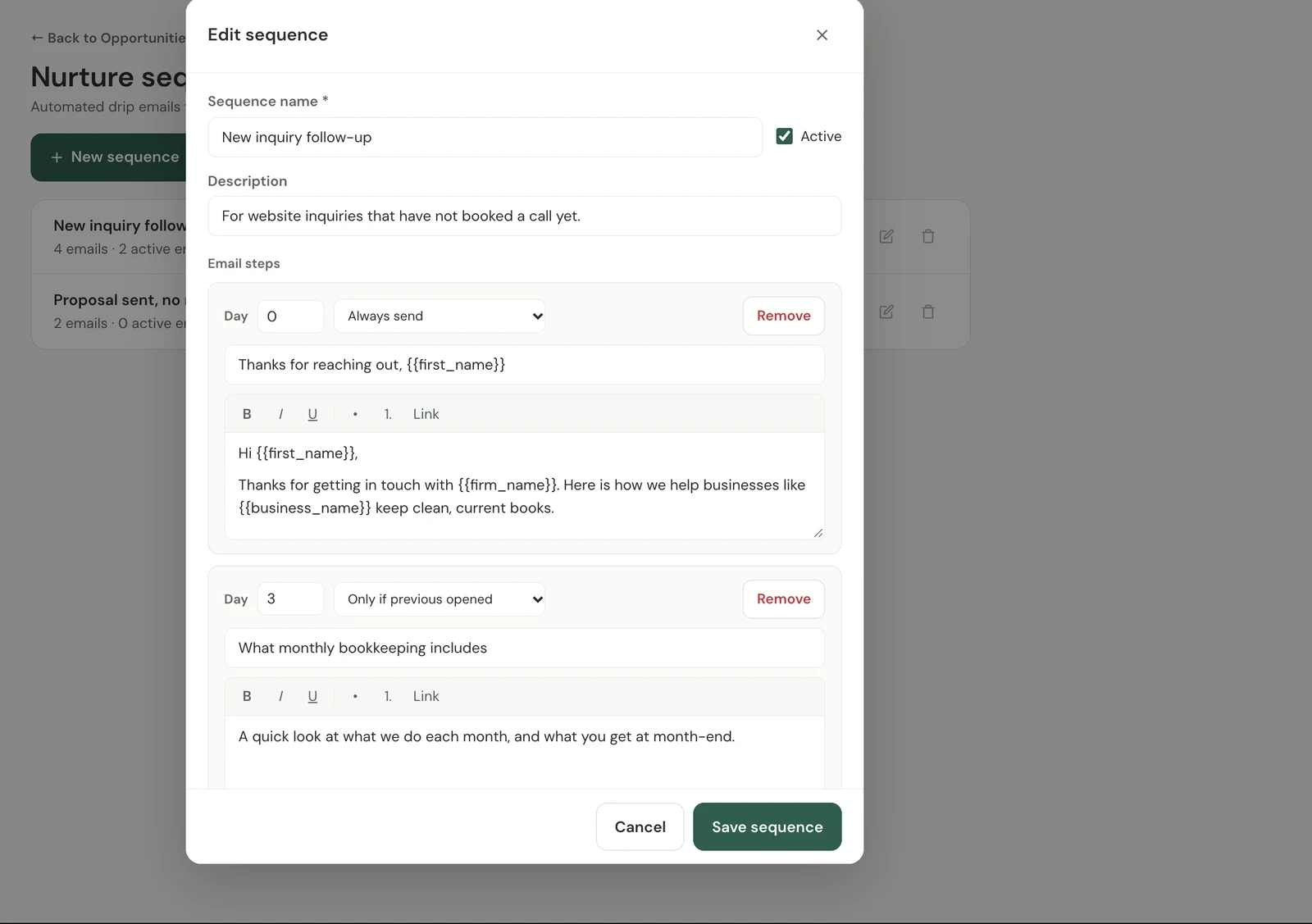
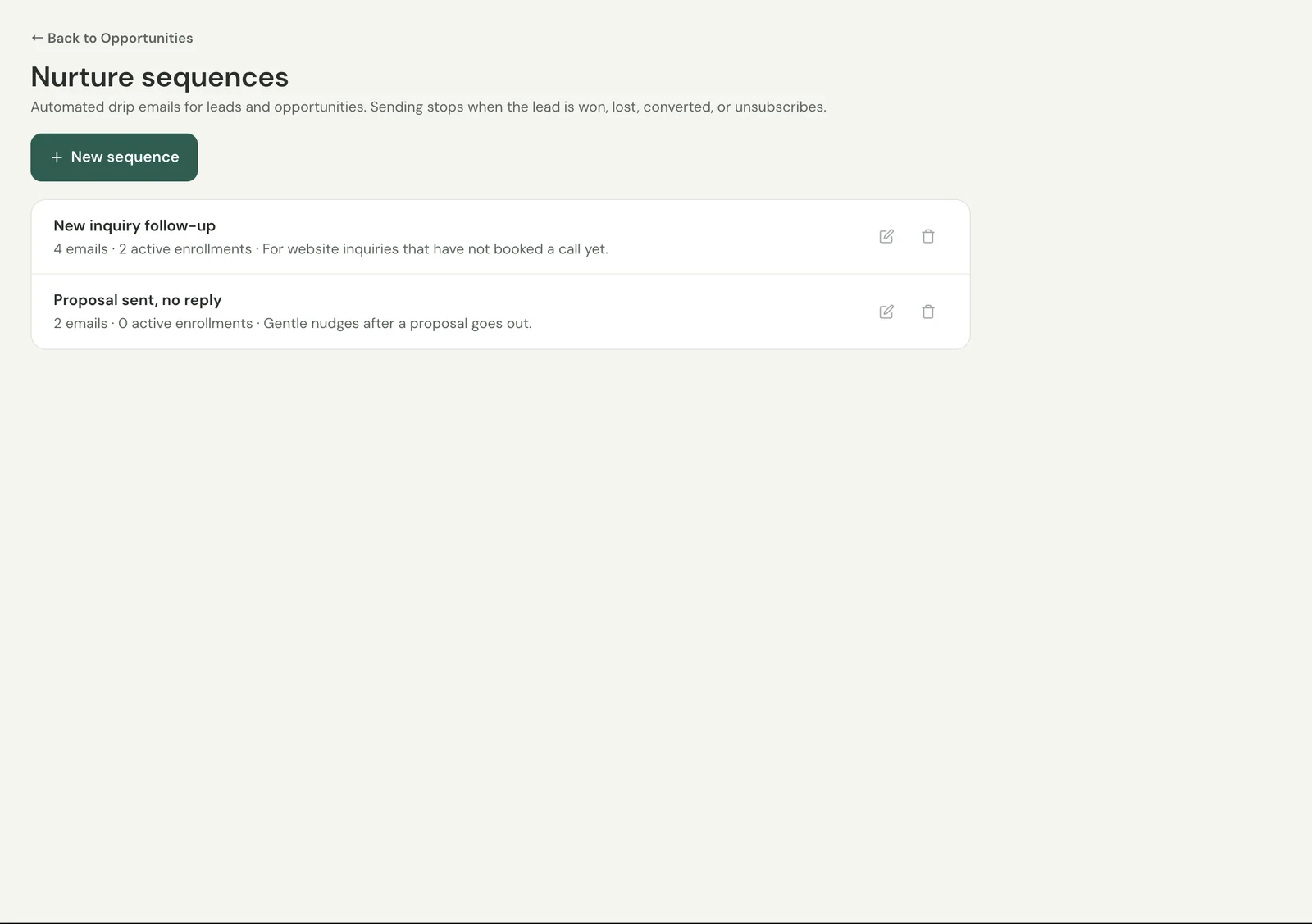
Write each email once, choose its day and whether it depends on the last one being opened
What you get
Drip emails built around how prospects really behave.
Day-by-day schedule
Send on day 0, day 3, day 7, or whatever spacing suits each sequence.
Branch on opens
Send a step only if the last email was opened, or only if it wasn't.
Personal touches
First name, contact name, business name and your firm name filled in for you.
Your branding
Every email goes out with your firm's name and logo, and the sender's own signature.
Email templates
Build emails from blocks or paste your own HTML, send yourself a test, and reuse them across sequences.
Stops on its own
Won, lost or converted leads stop getting emails automatically.
Easy unsubscribe
Every email has an unsubscribe link, and it stops the sequence straight away.
A closer look
How nurture emails works in Bliss HQ.
Smart branching
Different next steps for readers and non-readers.
Each email has a condition: always send, only if the previous email was opened, or only if it wasn't. Leads who read get the next useful piece, and quiet leads get a friendly check-in instead.
- Always send, only if opened, or only if not opened
- Each email has its own day, and they run in day order
- Emails whose condition isn't met are skipped
- Turn a whole sequence on or off at any time
Written once, personal every time
Your words, with their name in them.
Write each email in a simple editor with bold, italics, lists and links. Merge fields fill in the lead's first name, contact name and business name and your firm name, and a lead with no contact name is greeted with "Hi there".
- Merge fields for first name, contact name, business name and firm name
- Sent in your firm's name, with your logo
- Type # to drop in a merge field
- Each send records whether it was opened
Enroll anywhere
Start a sequence by hand or by stage.
Enroll a lead yourself, or let a stage automation start a sequence when a deal reaches a stage, such as Meeting Set or Proposal Sent.
- Only open leads with an email address can be enrolled
- A lead can't be in the same sequence twice at once
- See active enrollments for each sequence
- Stop one lead's sequence with one click
Stops at the right time
Never chase a lead who already said yes.
Sending stops by itself when a lead is won, lost or converted to a client, when they unsubscribe, or when there's no email address to send to.
- Unsubscribe link in every email
- Unsubscribes take effect straight away
- Deleting a sequence stops everyone in it
- The reason is recorded for every stop
How it works
Three steps, then it runs.
Write
Add each email with its day and whether it depends on the last one being opened.
Enroll
Start a lead by hand, or let a stage automation do it.
Let it run
Bliss HQ sends on schedule and stops when the lead is no longer open.
Part of one system
Connected to the rest of your firm.
Nurture sits inside the CRM: a stage automation can start a sequence when a deal reaches a stage, and every send records whether it was opened.
Questions about nurture emails
What stops a sequence?
The lead being won, lost, converted to a client, marked Not a fit or deleted, an unsubscribe, no email address to send to, or you stopping it.
Can a stage start a sequence?
Yes. Add Start a nurture sequence to any stage and leads are enrolled when they reach it.
Which leads can be enrolled?
Open leads with an email address. A lead can be in several sequences, but only once in each at a time.
Can I personalize the emails?
Yes. Merge fields for the lead's first name, contact name and business name, and your firm name, work anywhere in an email.
Do the emails come from my firm?
Yes. They go out in your firm's name, with your logo, like your other Bliss HQ emails.
Try nurture emails on your own clients.
30 days free, no card. Every feature included, with unlimited staff.