 Bliss HQ
Secure vault
Client logins, locked down and shared safely.
Keep every bank, payroll and tax portal login in one encrypted vault. Share a client's logins with the teammates on that client, and nobody else can read them, not even Bliss.
Included in every plan.
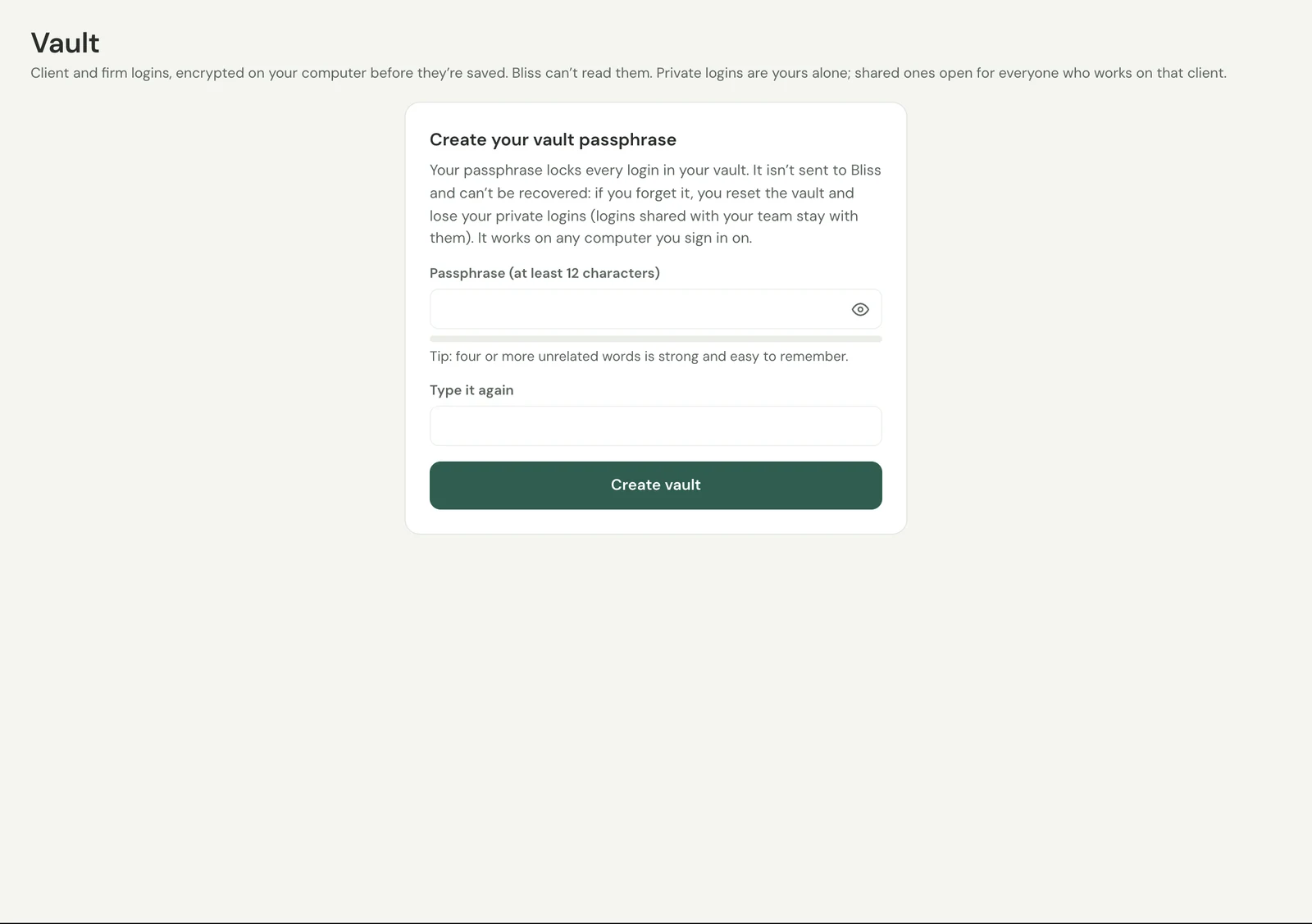
Your vault passphrase locks every login and is never sent to Bliss
What you get
A password vault built for client work.
Encrypted on your computer
Logins are encrypted before they're saved. Bliss only ever stores scrambled data.
Your passphrase
At least 12 characters, known only to you, never sent to Bliss.
Shared client logins
Share a client's logins with the teammates who work on that client.
Private logins too
Keep your own logins private to you.
Auto-lock
The vault locks itself after 10 minutes without use.
Offboarding built in
When someone leaves, their access goes and shared keys are replaced.
Strong passwords
Make a strong password with one click, and weak passphrases are turned away.
A closer look
How the vault works in Bliss HQ.
How the encryption works
Locked before it ever leaves your computer.
Your passphrase is stretched with 600,000 rounds of PBKDF2 to unlock your own vault key, and every login is sealed with AES-GCM encryption in your browser. Bliss HQ stores only the scrambled result.
- Bliss can't read your logins, even if asked
- Each login is sealed separately
- Locks itself after 10 minutes without use
- Change your passphrase at any time
Sharing by client
Everyone on the client sees the same logins.
Logins shared on a client use a client key, and each teammate gets their own securely wrapped copy. Someone newly added to the client gets access the next time a teammate who already has it unlocks their vault.
- Only teammates with vault access who can open that client
- Private logins stay yours alone
- Show or copy a password with one click
- A Vault tab on every client's page
- Copied passwords clear from the clipboard after 30 seconds
When people leave
Access ends the moment someone goes.
Remove someone from your firm and their private logins there are deleted, their copies of shared client keys are removed, and those client keys are replaced the next time a teammate unlocks.
- Lose access to a client and that client's key is replaced
- Shared logins carry on for everyone else
- Vault resets are recorded in your audit trail
- Works with your roles and client-level access
How it works
Three steps, then it runs.
Create your vault
Choose a passphrase of at least 12 characters.
Add logins
Name, system, website, username, password and notes, for a client or just for you.
Share
Mark a login shared, and everyone on that client with vault access can open it.
Part of one system
Connected to the rest of your firm.
Each client page has a Vault tab, so the logins you need sit beside the client's documents, jobs and books.
Questions about the vault
Can Bliss see my clients' passwords?
No. Logins are encrypted on your computer with a key only your passphrase unlocks. Bliss stores the encrypted result and can't read it.
What if I forget my passphrase?
Reset your vault. Your private logins are erased because nobody can unlock them, but you get shared client logins back the next time a teammate who shares them unlocks their vault.
Who can share logins on a client?
Team members with vault access who can open that client.
Do clients enter logins here?
No. The vault is for your team. It is where you keep the logins clients give you during onboarding.
What can I store for each login?
A name, the system it's for, the website, the username, the password and notes.
Can I change my passphrase?
Yes, at any time. Your logins stay as they are and open with the new passphrase.
Try the vault on your own clients.
30 days free, no card. Every feature included, with unlimited staff.