 Bliss HQ

The Bliss HQ app
Bliss Snap
Your firm, on your clients' phones
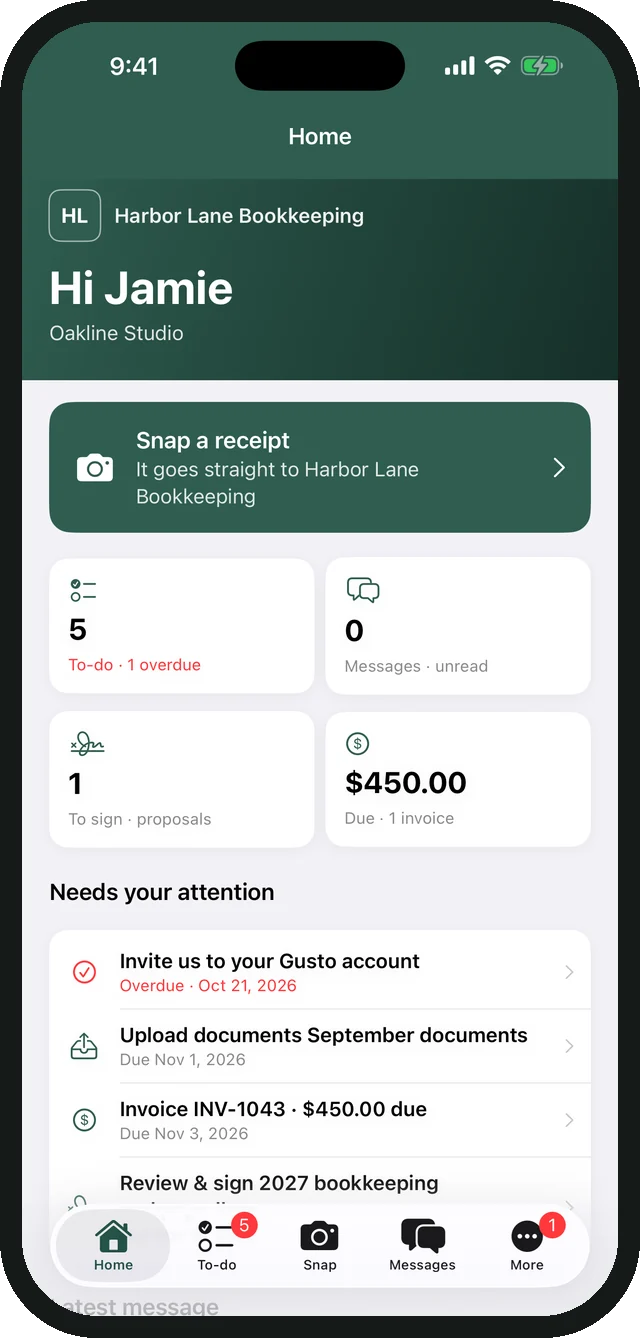
Clients snap receipts, see what you need, answer questions, sign proposals and message your team, in your firm's name and colors. Your team gets My Week, client messages, receipts and the timer, wherever they are.

Free with every Bliss HQ plan. iPhone, iOS 17 or later.
For your clients
Everything you need from them, one tap away
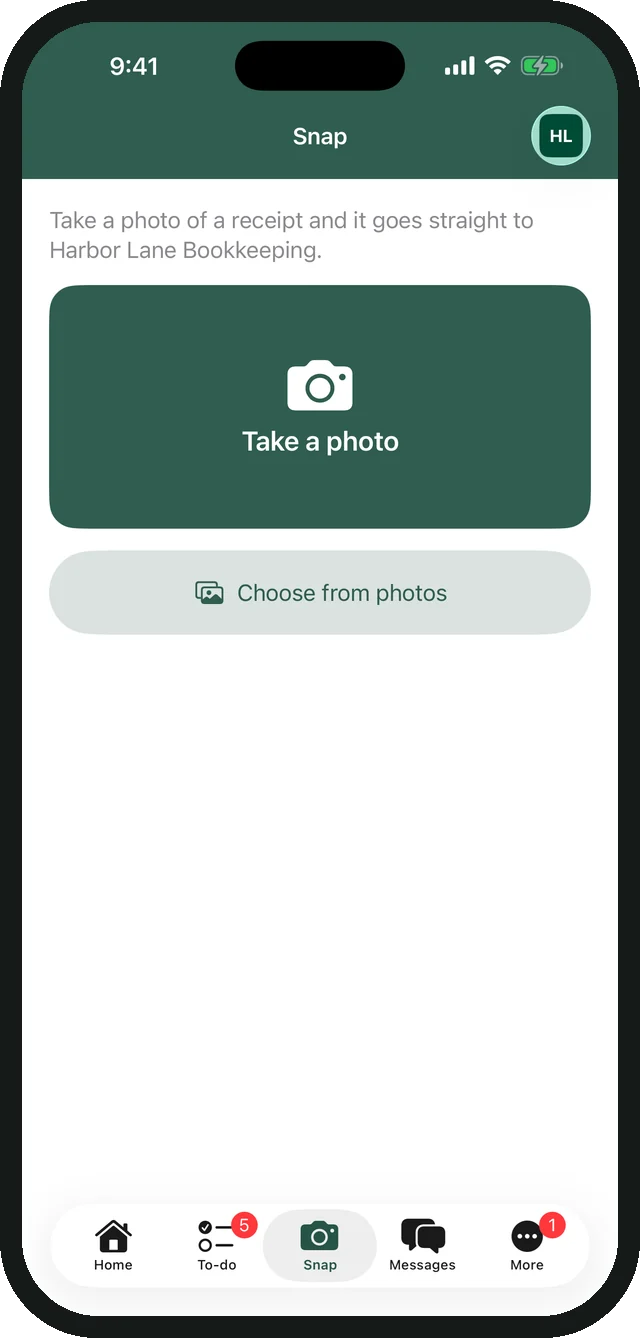
Snap a receipt. It's in the books.
Clients take a photo and Bliss AI reads the whole receipt: vendor, date, amount before tip, tax, tip, total paid, currency and a suggested category. Your team checks it and pushes the expense to the client's QuickBooks Online or Xero with the photo attached. No shoeboxes, no forwarded emails, no typing.
- Several receipts at once, with a note about what each was for
- Full extraction by Bliss AI, filed with the client's receipts and bills for the month it came in
- Vendors and expense accounts matched to the client's books, and remembered for next time
- Push one receipt or a whole batch, or mark the ones you won't record
- Scan paper documents into a clean multi-page PDF
One to-do list for everything
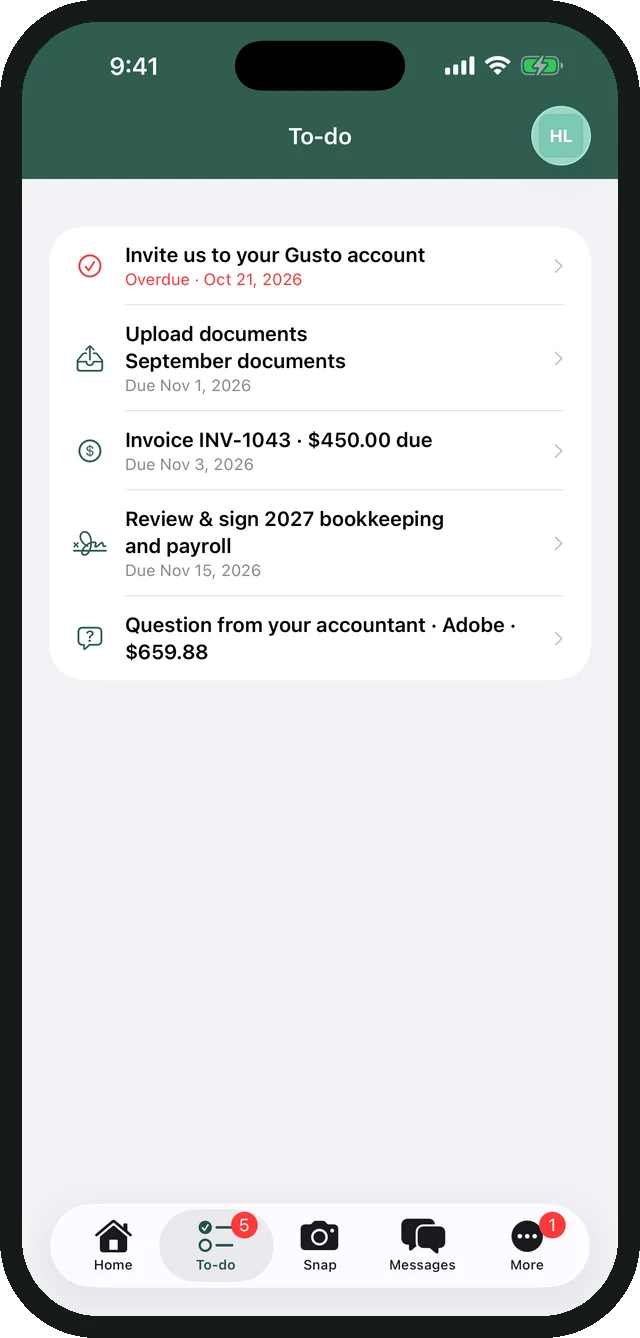
Documents to upload, questionnaires, proposals to sign, invoices due and your questions about their transactions, with what's overdue first. They answer your questions right in the app.
- Overdue items first, so nothing slips
- Uploads and signing open right in the app
- Answer your questions about uncoded transactions with a tap and a note
- A notification whenever you send something new
Message your team
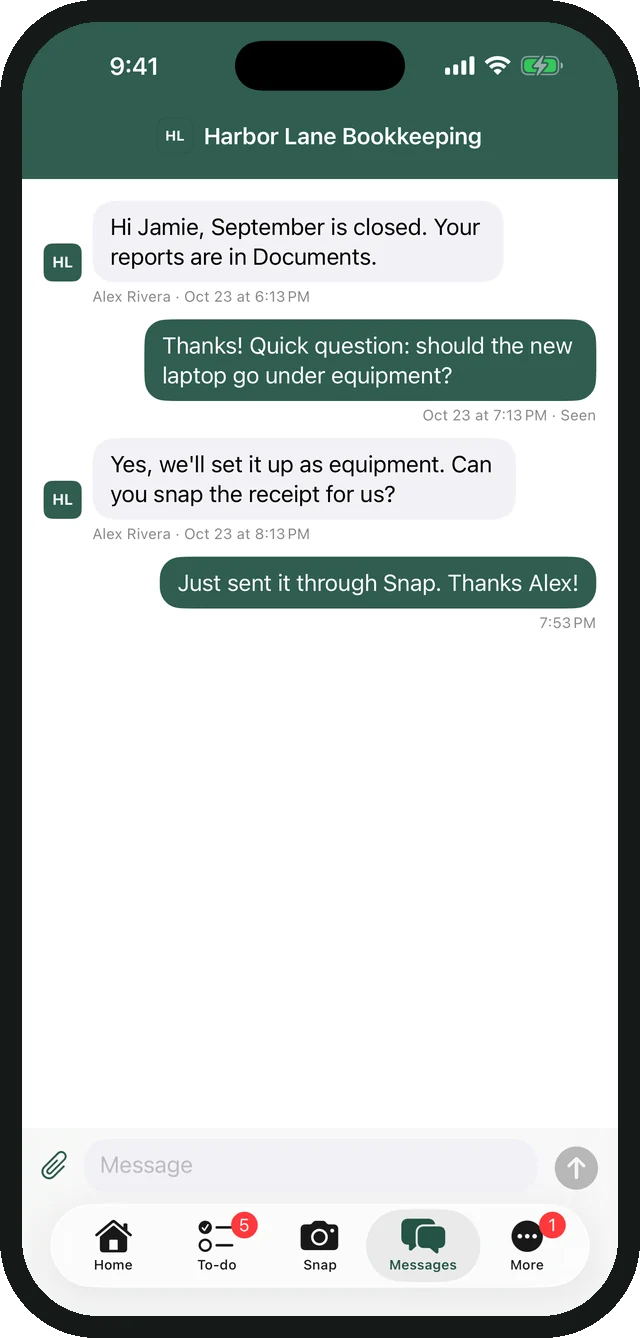
A private conversation between the client and your firm, with photos. You reply from the client's page in Bliss HQ or from your own phone, and they see it straight away.
- Photos and files they send land in their Documents, ready for your review
- "Seen" so you know they read it
- Reply from Bliss HQ or the app; it's one conversation
- In your firm's name and colors, never ours
- "Hey Siri, message my accountant in Bliss Snap"
For your team
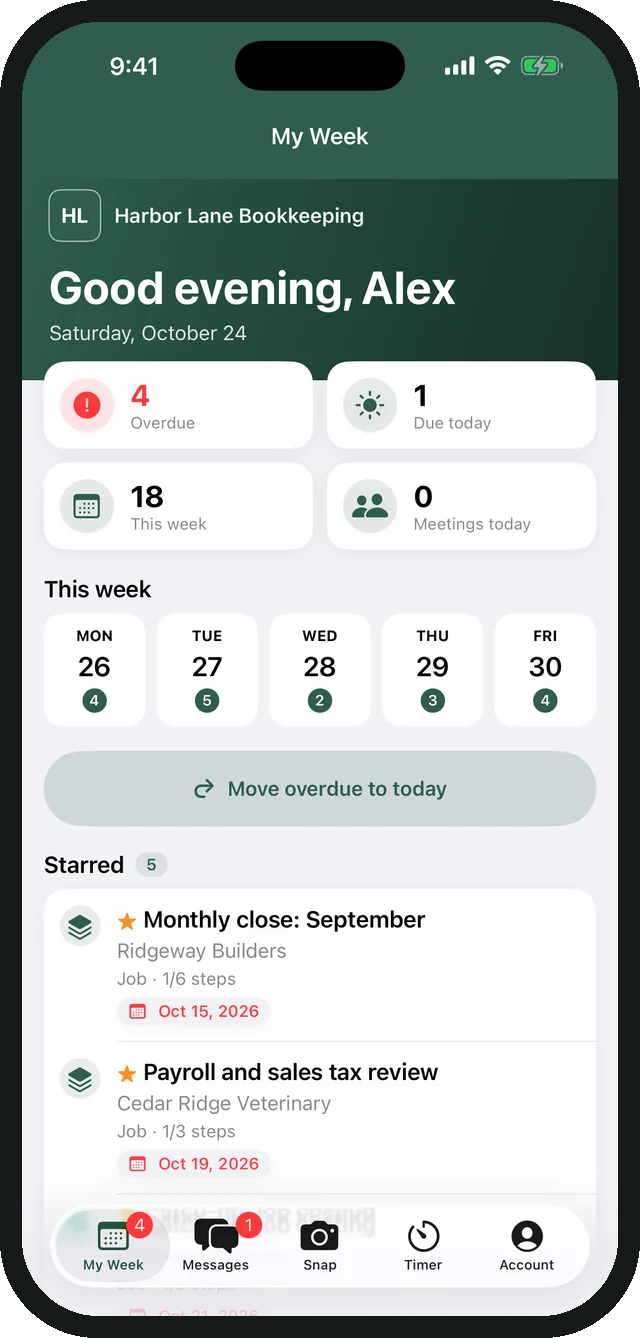
Run your day from your pocket
My Week
Starred work, overdue, today and the rest of the week, with meetings and join links. Tick off tasks and job steps between appointments.
- Meetings for the day with one-tap join links
- Tick off tasks and job steps as you finish them
- Clients tab: health, contacts, jobs and documents at a glance
- Every client conversation in one inbox
Receipts for your firm and your clients
Snap a receipt for your own firm or for any client you work on. Bliss AI reads it, you pick the expense account and what it was paid from, and push it from your phone.
- Your firm's receipts go to your firm's QuickBooks Online or Xero
- Client receipts go to that client's books, with the photo attached
- The vendor, total, tip, date and category Bliss AI read are there to check and edit before you push
- Just save it instead, and push later from Bliss HQ
- From Bliss HQ, a year of receipts as a ZIP or Excel file for tax time
Track time on the go
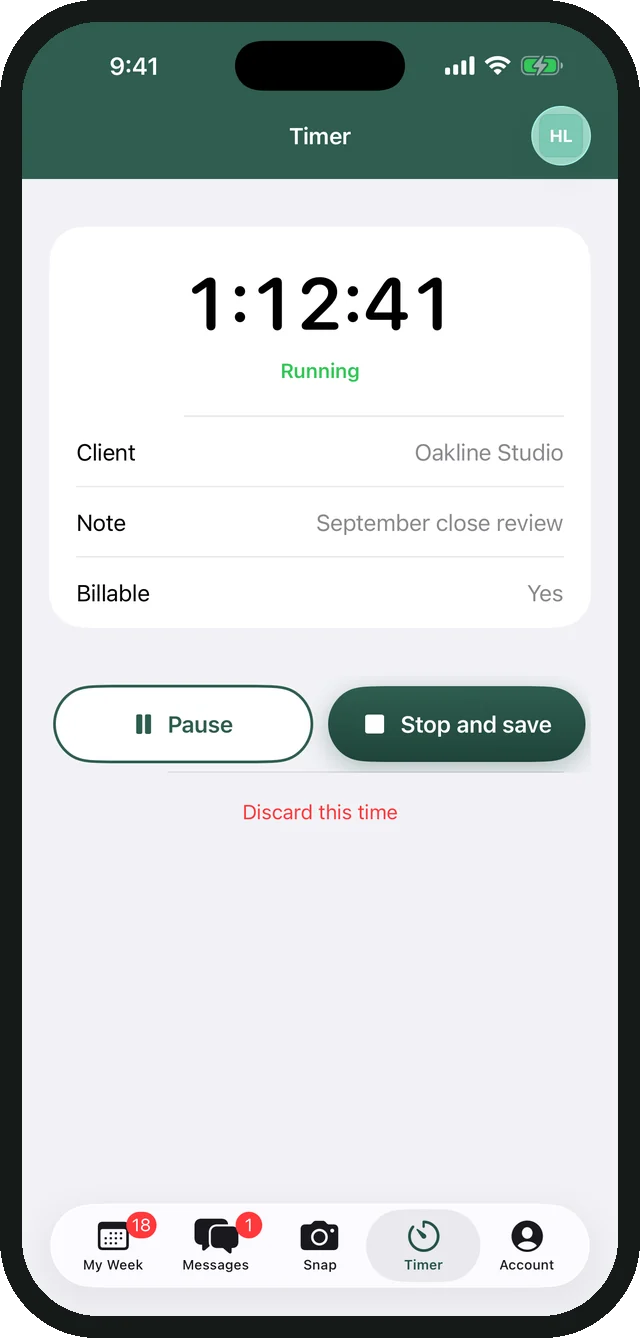
The same timer as Bliss HQ. Start it on your phone and stop it on your computer, or the other way round. It sits on your Lock Screen and in the Dynamic Island with Pause and Stop, so a forgotten timer is a thing of the past.
- "Hey Siri, track time for Oakline Studio in Bliss Snap"
- "Hey Siri, stop tracking time in Bliss Snap"
- Saved as a draft time entry, ready for review
- Pause and Stop right from the Lock Screen
Built for iPhone
Notifications
Your team hears about client messages, uploads and answers. Clients hear about new requests, proposals, invoices and replies.
Lock Screen timer
The running timer on the Lock Screen and in the Dynamic Island, kept in step with Bliss HQ.
Siri and Shortcuts
"Snap a receipt", "Track time", "Stop tracking time" and more, by voice. Nothing to set up: open the app once, signed in, and Siri knows the phrases. They're also in Shortcuts and on the Action button.
Receipts to QuickBooks and Xero
Client receipts go to the client's books. Your team's own receipts go to your firm's books. Either way the expense is pushed with the photo attached.
In your firm's name
Your logo and colors throughout. Clients see your firm, not ours.
Secure sign-in
Clients use their portal password or an emailed code. Your team uses their Bliss HQ sign-in with two-step verification. A new password signs every phone out.
Questions about the app
How much does Bliss Snap cost?
Nothing extra. Bliss Snap is a free download and comes with every Bliss HQ plan, for your clients and your whole team.
How do clients sign in?
With the email you invited to their client portal, using their portal password or a 6-digit code we email them. They stay signed in on that phone.
Does it show our firm's brand?
Yes. After signing in, clients see your firm's name, logo and colors throughout the app.
What can my team do in the app?
See My Week and tick off work, read and reply to client messages, look up any client, snap and push bills and receipts to QuickBooks Online or Xero, and run the timer, including from the Lock Screen and with Siri.
Do I need to set up Siri or Shortcuts?
No. Open Bliss Snap once, signed in, and Siri knows its phrases, like "Hey Siri, track time for Oakline Studio in Bliss Snap" or "Hey Siri, snap a receipt in Bliss Snap". The same actions appear in the Shortcuts app on their own, if you want a Home Screen button or the Action button.
Is there an Android app?
Not yet. Bliss Snap is for iPhone. Clients on Android use the client portal in their phone's browser, which has the same to-dos, documents, messages and receipt upload.
Is client data secure?
Clients see only their own company. Your team sees only the clients they're allowed to open, signs in with two-step verification, and a new password signs out every phone.
Give your clients the app
Bliss Snap comes with Bliss HQ. Invite a client to the portal and they can sign in on the app the same day.