 Bliss HQ
Bliss AI
The AI does the legwork. You keep the judgment.
Bliss AI suggests coding, reads bills and receipts, drafts report commentary, works as each person's own assistant and polishes emails. A person approves everything that matters.
Included in every plan, with sensible monthly limits.
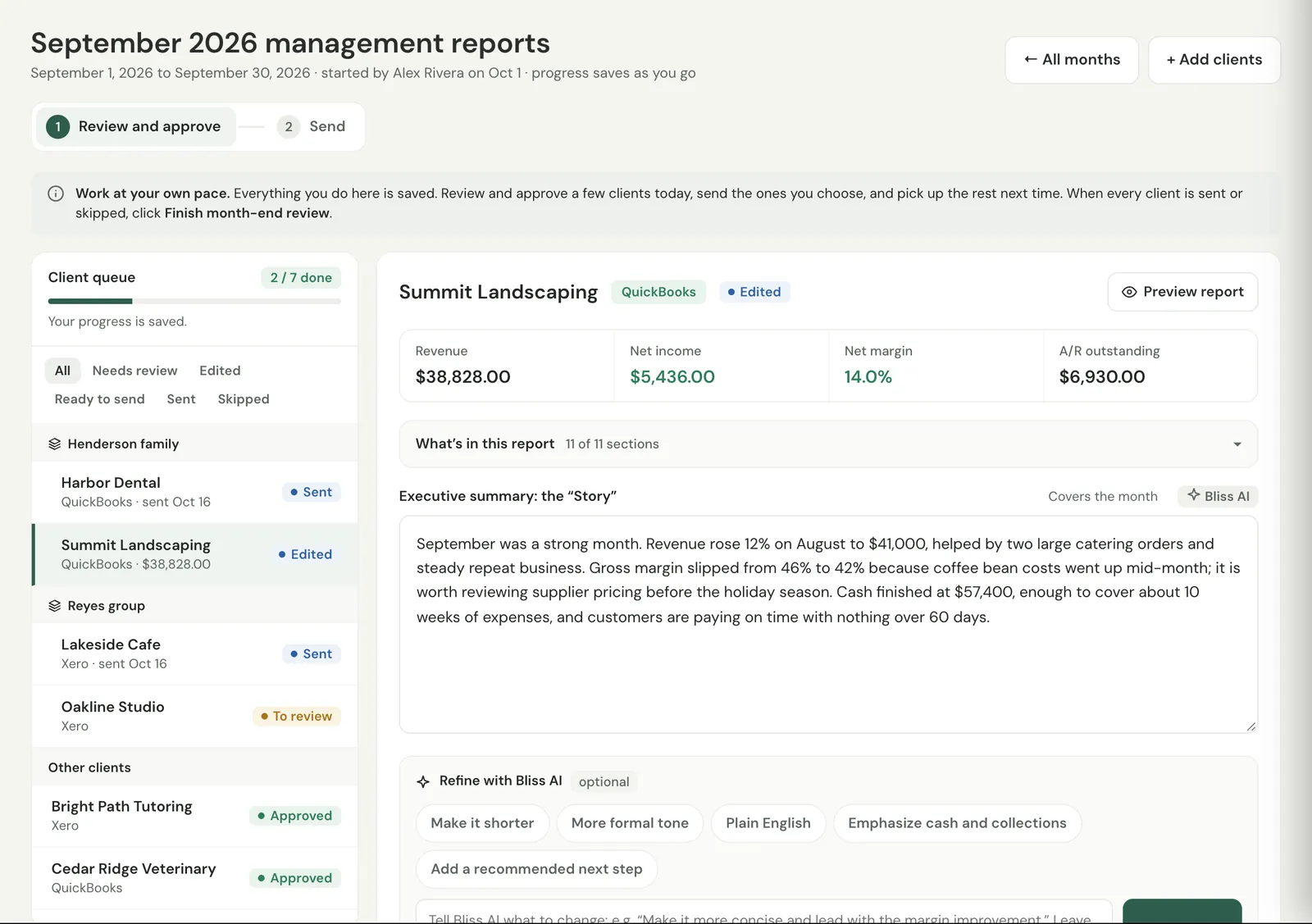
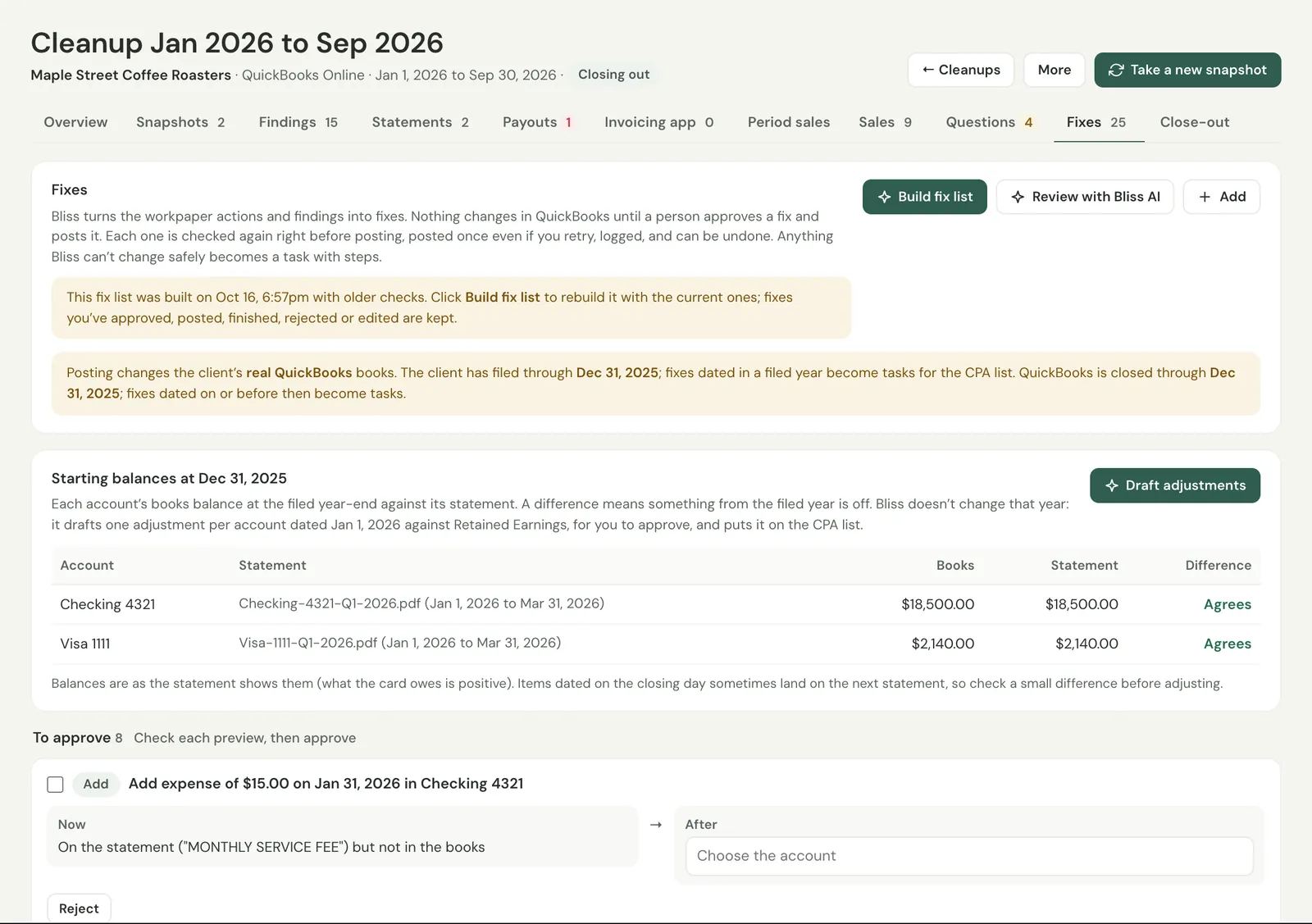
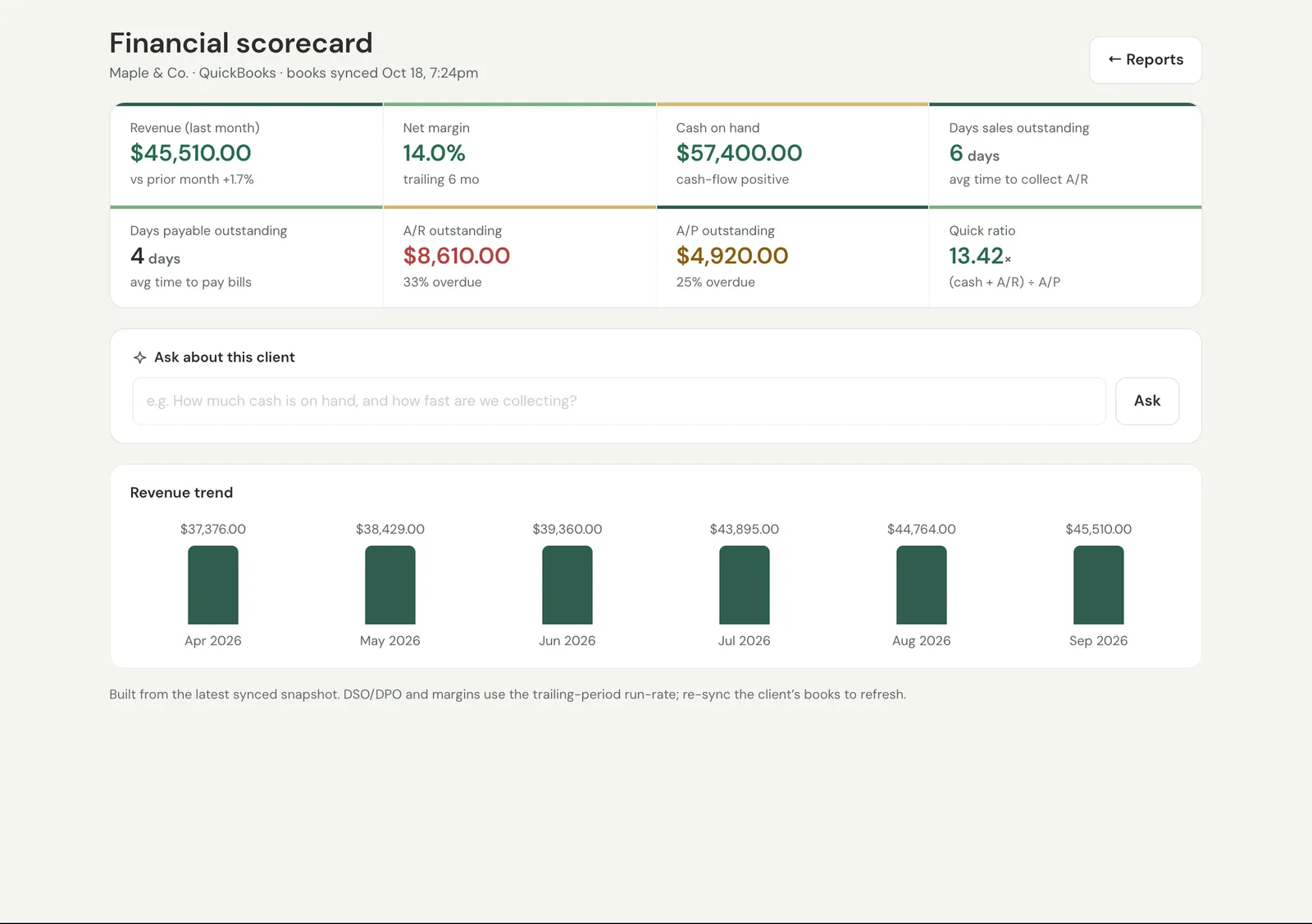
AI drafts each client's monthly summary from their own numbers; you edit and approve
What you get
Useful today, careful by design.
Suggests, never posts
Coding suggestions and ledger fixes wait for a person to approve them.
Grounded in the numbers
Answers come from that client's own figures and transactions.
Report commentary
A first draft of the month's story for you to edit.
Ask about this client
Plain-English questions on the cash flow, scorecard, flux and P&L by class reports.
Your own assistant
A side panel on every page that knows your clients, your week and your firm's way of working. It drafts tasks, time and notes, and saves them only when you click Confirm.
Reads bills and receipts
Vendor, date, amounts, bill number and due date filled in from a photo, PDF or email.
Enhance email
Turn a rough draft into a clear, friendly email.
Included in your plan
Monthly limits per firm, and no per-token bills.
A closer look
How Bliss AI works in Bliss HQ.
Approval first
Bliss AI suggests. A person decides.
Coding suggestions, cleanup fixes and drafted summaries all wait for someone on your team. Using Bliss AI and writing changes back to QuickBooks or Xero are separate permissions, so you choose who can do each.
- Each coding suggestion shows a confidence level and a short reason
- Suggested accounts must already exist in the client's chart of accounts
- Cleanup's AI review can keep, downgrade or drop a fix, never add one
- Dropped fixes can be brought back from the Rejected list
- Use Bliss AI can be granted or removed for each person
Grounded in real numbers
It works from the client's figures, not guesses.
Every AI task gets the specific figures it needs, with instructions to use only those and to say so when the data can't answer. When the numbers don't add up, it flags the problem instead of writing a story around it.
- Report summaries use only report figures and phrase likely causes as questions
- Flux notes are written only for accounts backed by transactions
- A client's own answer about a transaction guides its coding suggestion
- Statement reads must tie: opening balance plus lines equals closing balance
- Receipt reading picks from a fixed list of 17 expense categories
- A summary written for older figures can't be approved until it's redone
Where it shows up
Built into the work, not a separate chat window.
Bliss AI sits inside the screens your team already uses, so client data never gets copied into another tool. It also answers plain-English questions on reports and polishes emails in the composer.
- Review: suggests accounts, explains balance swings and drafts client questions
- Books Cleanup: reads bank and card statements and double-checks suggested fixes
- Management reports: drafts the executive summary for every client
- Proposals: turns discovery notes and call transcripts into draft sections
- Receipts: reads vendor, date, total, tax and tip from a photo
Limits and privacy
Clear monthly limits, and opt-in for sensitive reads.
Bliss AI is included in your plan, with a monthly allowance for your firm that resets on the 1st. When nothing has changed, a repeat request reuses the saved answer, so reopening a report doesn't eat into the allowance.
- Each cleanup asks permission before Bliss AI reads that client's books
- Discovery notes go to Bliss AI only after you tick to allow it
- Questions about a client's numbers are recorded in your audit trail
- Big month-end batches draft in the background while you keep working
- AI only works on clients that person can already open
How it works
Three steps, then it runs.
Work as usual
AI appears where it helps: Review, cleanups, reports, bills and receipts, email and the assistant panel.
Check the suggestion
See what it suggests and why.
Decide
Approve, edit or ignore it. Nothing happens without you.
Part of one system
Connected to the rest of your firm.
AI runs inside Review, Books Cleanup, management reports, receipts, proposals and email, so you never copy client data into another tool.
Questions about Bliss AI
Is AI an extra cost?
No. It is included in every plan, with monthly limits per firm.
Can AI change a client's books?
No. It only suggests. A person approves anything written back.
Where does AI show up?
In Review, Books Cleanup, management report commentary, flux notes, Ask about this client, bills and receipts, proposal drafting, the email composer and the Bliss AI assistant panel.
Can the assistant change things on its own?
No. It can create a task, log time or add a client note only after you click Confirm, and it sees only what you are allowed to see.
What happens when we reach the monthly limit?
AI features pause with a short message until the 1st, when the allowance resets. Everything else in Bliss HQ keeps working, and Bliss support can help if you need more.
Will Enhance email change my facts?
It is told to keep every name, date, dollar amount and deadline and never to invent prices or commitments. Placeholders like [Signing link] stay exactly as written. You review the result before sending.
Can I redo an AI summary?
Yes. Add a note such as "shorter, lead with cash" and regenerate. The draft stays editable until the report is approved.
What can discovery to proposal read?
Pasted notes, notes saved on the lead, and up to 5 files of 10 MB each: Word, PDF, text, CSV and meeting transcripts. Files are only sent to Bliss AI after you tick to allow it.
Does Bliss AI post anything to the books?
No. It suggests accounts, fixes and receipt details. Someone with permission to update the books reviews them and chooses what to send to QuickBooks or Xero.
Try Bliss AI on your own clients.
30 days free, no card. Every feature included, with unlimited staff.