 Bliss HQ
CRM & pipeline
A pipeline that follows up for you.
Capture leads from your website, score them by activity and get nudged before anyone goes cold. Won leads become clients without retyping a thing.
Included in every plan. Works with Gmail.
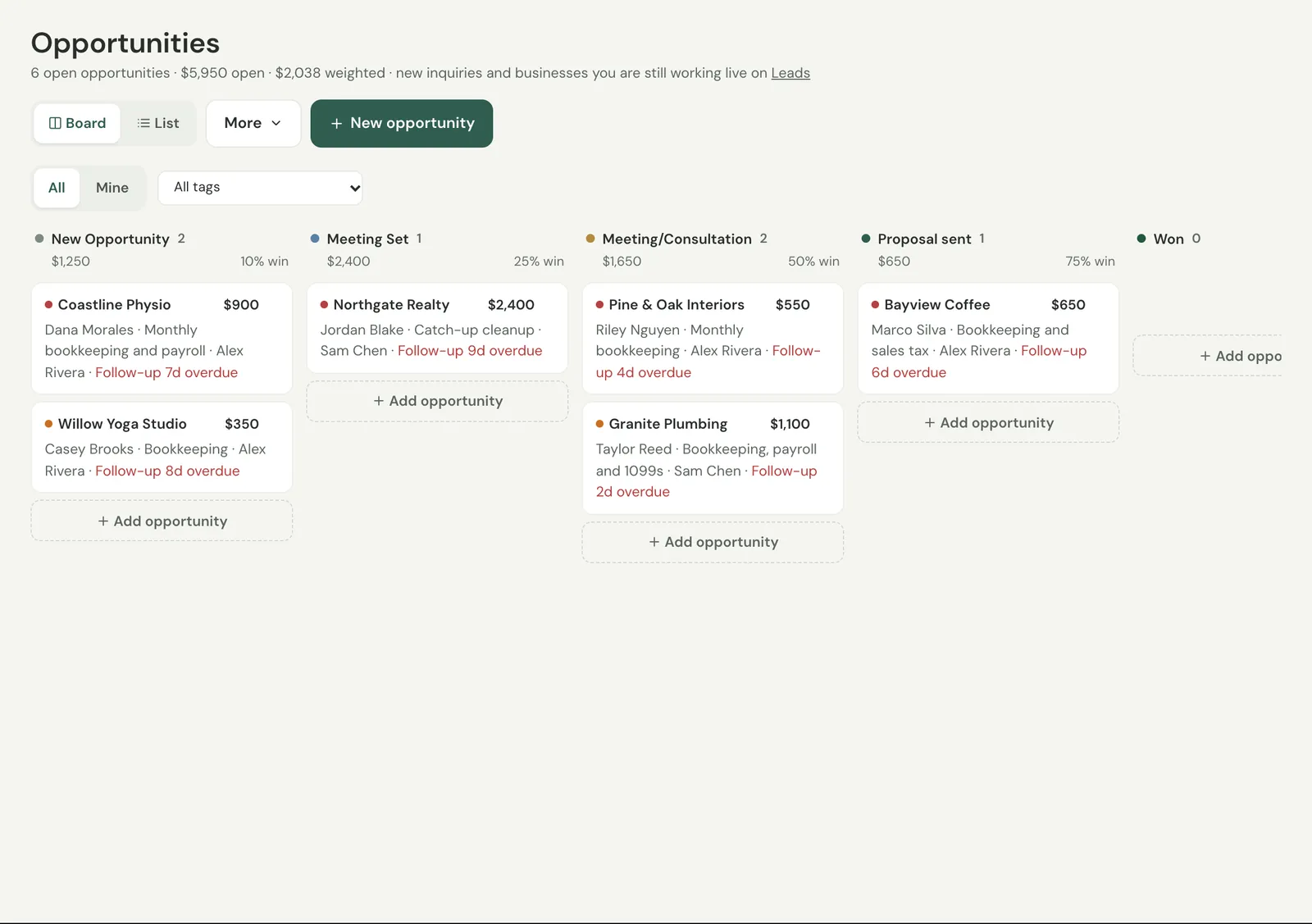
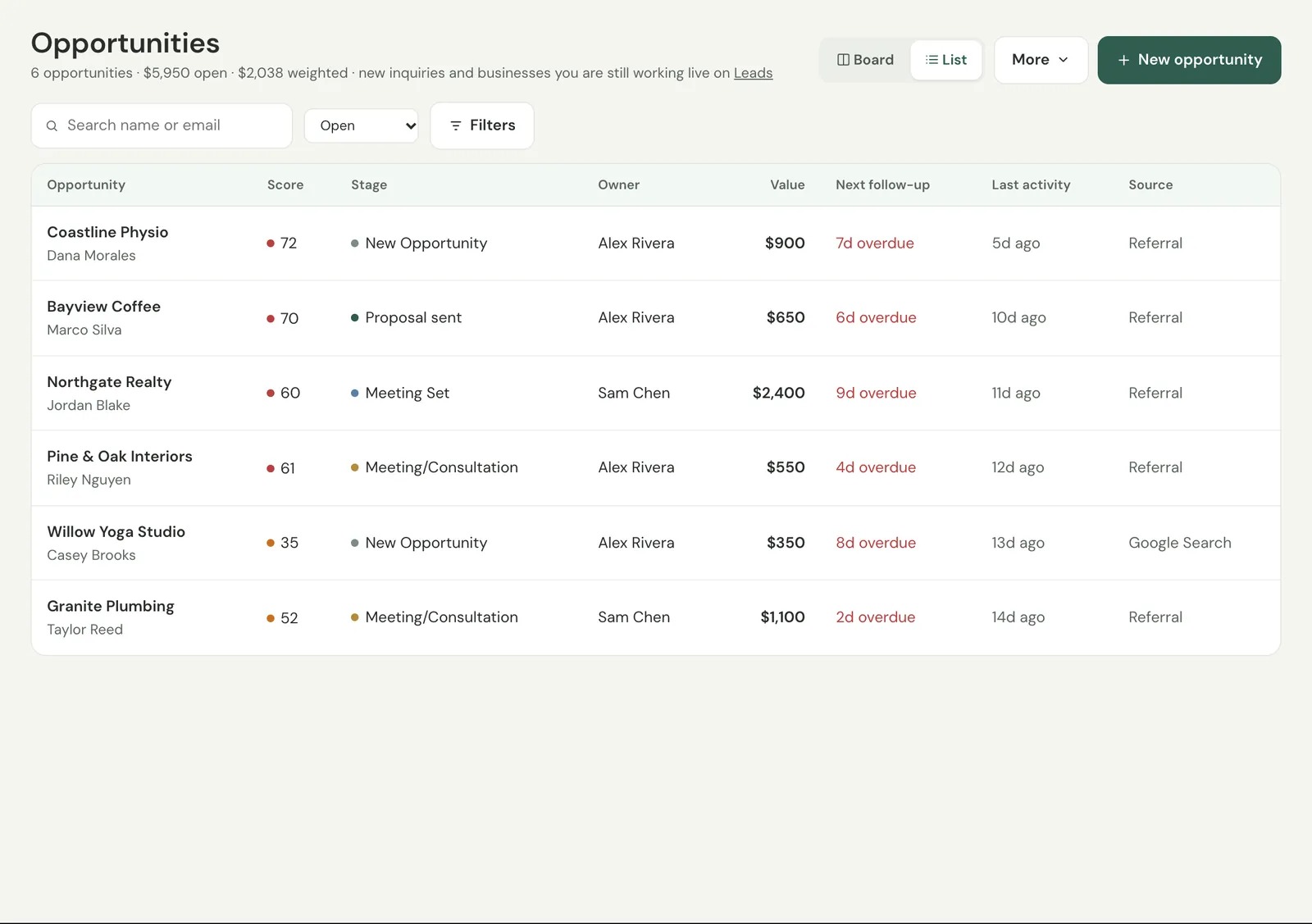
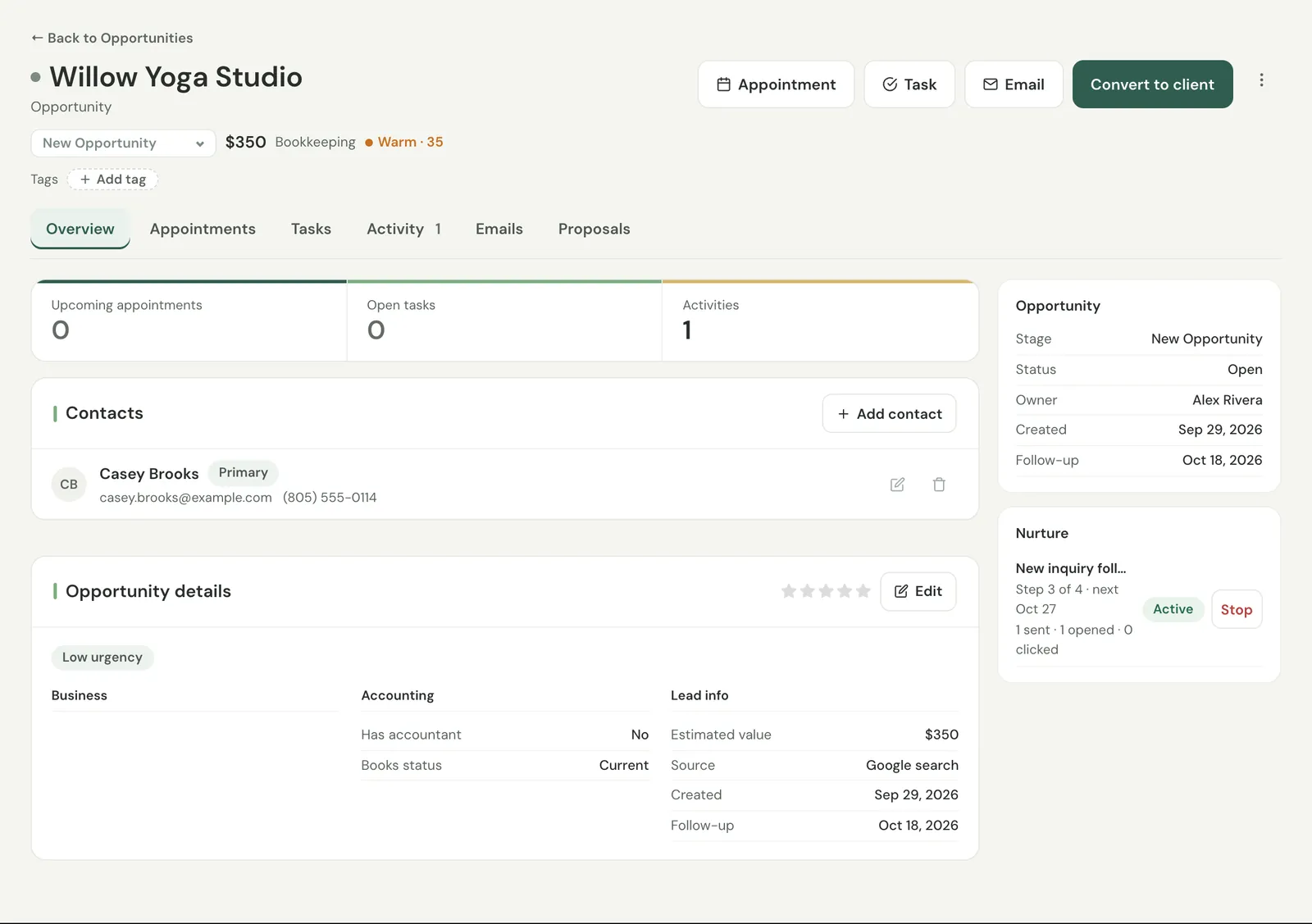
The opportunities board: every deal by stage, with value, owner and next follow-up
What you get
Everything between first hello and a signed client.
Web-to-lead form
Put a form on your website and new inquiries land straight in your pipeline.
Lead scoring
Every lead gets a score from 0 to 100 from real signals: referrals, meetings and proposals.
Follow-up nudges
Due and stale follow-ups show up in My Week so nobody is forgotten.
Weighted forecast
Set a probability per stage and see what your open pipeline is really worth.
Nurture sequences
Send prospects a short series of emails automatically, with unsubscribe built in.
Loss reasons
Record why a lead went elsewhere and report on it, so you can fix the pattern.
Import your pipeline
Bring leads in from HubSpot, Pipedrive, Salesforce, a spreadsheet or a paste, with duplicates caught.
Custom fields and tags
Your own fields on every lead, and color-coded tags to filter, bulk apply and use in stage automations.
Referral partners
See the leads, wins and fees each partner sends you, with a nudge to say thanks.
Alerts in Slack or Teams
New leads, stage changes and wins post to your channel, plus a morning list of follow-ups due.
A closer look
How the pipeline works in Bliss HQ.
Scoring you can read
A score out of 100, built from real signals.
Every lead gets a score from 0 to 100 and a Hot, Warm or Cold label. Points come from things that predict a signed client, like a referral, a booked meeting or a proposal the prospect has opened. You choose where Hot and Warm start.
- A signed proposal adds the most, then viewed, then sent
- An upcoming meeting and activity in the last 7 days both count
- Referrals score higher than website inquiries
- Bigger deal values and urgent needs push the score up
- Defaults: Hot from 60, Warm from 30, both adjustable
Leads first, then deals
Qualify leads before they clutter your pipeline.
Businesses you are still working sit on a Leads list with their own statuses. When one asks for help, make it an opportunity and the same record moves to the board, with people, notes, emails and history intact. A website form can send new inquiries to either place.
- Lead statuses: New, Researching, Contacted, Nurturing, Not a fit
- Bulk change status, owner or tags on up to 1,000 leads
- A booking from someone on the Leads list promotes them automatically
- Starter stages: New Opportunity, Meeting Set, Meeting/Consultation, Proposal Sent, Won, Lost
- Staff without full access see only the leads they own
Web-to-lead, done right
A website form that never loses an inquiry.
Build the form with your own questions, headline and thank-you message, or send people to a page of your choice. New leads can be handed out round-robin or to one person, and the team hears about them right away.
- Starts with the questions bookkeepers ask, like how far behind the books are
- Sent twice by mistake? It joins the existing lead
- Hidden spam trap, with caught entries kept aside, never deleted
- Email alerts to up to 20 addresses, plus Slack
- The prospect gets a branded thank-you email
Stage automations
Each stage can do the next job for you.
Attach actions to any stage and they run when a deal lands there, whether it was dragged, booked, sent a proposal or signed. Every action is written to the lead's timeline, including anything skipped and why.
- Create a task, set a follow-up, add a tag or notify someone
- Start a nurture sequence when a deal reaches a stage
- On Won: convert to a client, start onboarding, create the first job
- Sending or signing a proposal sets the deal value automatically
- Nurture emails can branch on whether the last one was opened
How it works
Three steps, then it runs.
Capture
Leads arrive from your website form, booking pages or a quick add.
Follow up
Scores, owners and nudges keep the right leads moving.
Win
Once the proposal is signed the deal is marked won. Convert it to a client in one click, or let stage automations convert it, start onboarding and create the first job.
Part of one system
Connected to the rest of your firm.
Your pipeline feeds proposals, onboarding and billing, so a new client arrives with their contacts, emails and signed proposal already in place, and the agreed fees are one click from billing.
Questions about the pipeline
Does it work with my email?
Yes. Connect Google Workspace and recent emails are matched to leads and clients automatically.
Can more than one person own leads?
Yes. Each lead has an owner shown on the board, and you can reassign it in a click.
What happens when I mark a lead as won?
Bliss HQ offers to convert it to a client in one click, keeping its history, contacts and proposals, or a stage automation can do it and also start onboarding and create the first job. If a referral partner sent it, their owner gets a thank-you task automatically.
Can I bring my leads from another CRM?
Yes. Import from HubSpot, Pipedrive or Salesforce exports, a CSV or Excel file, or a paste. You match the columns and stages, duplicates are flagged, and you can undo an import.
How do follow-up nudges work?
Each morning, anyone with a follow-up due or overdue gets a reminder in Bliss HQ. On Mondays, owners also hear about open deals with no activity in 7 days, or whatever limit you set.
Can nurture emails be personalized?
Yes. Use the lead's first name, contact name, business name and your firm name. A step can be set to send only if the previous email was opened, or only if it was not.
When does a nurture sequence stop?
When the lead is won, lost or converted, when they unsubscribe from the link in every email, or when you stop it yourself.
What do referral partners show me?
For each partner: leads sent, won and lost, open pipeline value, clients they brought and fees billed to them. When a referred lead is won, the owner gets a task to say thanks.
Will I know when a partner goes quiet?
Yes. If a partner has sent nothing in 90 days, nobody has checked in for 30 and no check-in is planned, their owner gets a Monday nudge to reach out.
Can I report on my pipeline?
Yes. The Sales pipeline report shows open and weighted value, win rate, average deal size and days to win, why deals were lost, and which lead sources turn into opportunities and wins.
Can my CRM connect to Zapier?
Yes. New leads and stage changes can start a Zap or call your own webhook.
Try the pipeline on your own clients.
30 days free, no card. Every feature included, with unlimited staff.